EasyManua.ls Logo

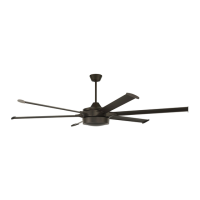
Craftmade Prost PRT78 6 Series - User Manual

Craftmade Prost PRT78 6 Series
48 pages
Print Icon
To Next Page IconTo Next Page
Loading...
WARNING:
DUE TO THE SIZE AND
WEIGHT OF THE FAN, READ
ALL SAFETY TIPS CAREFULLY
BEFORE INSTALLING FAN.
WARNING:
DC Motor will not operate
until blades are installed
Table of Contents:
Safety Tips. pg. 3
Unpacking Your Fan. pg. 4
Parts Inventory. pg. 4
Installation Preparation. pg. 5
Mounting Plate & Hanging
Bracket Installation. pgs. 5 - 6
Fan Assembly. pgs. 6 - 8
Wiring. pgs. 8 - 9
Canopy Assembly. pg. 9
Blade Assembly. pg. 10
Light Kit Assembly. pg. 11
Handheld Remote Control
Assembly. pg. 12
Automated Learning Process./
Activating Code. pg. 13
Remote/Wall Control Operation. pg. 13
Smart Ceiling Fan Wi-Fi Control. pg. 14
Testing Your Fan. pg. 15
Troubleshooting. pg. 16
Warranty. pg. 16
Parts Replacement. pg. 16
net weight of fan: 39.68 lb (18 kg), PRT78
41.89 lb (19 kg), PRT102
44.09 lb (20 kg), PRT120
PRINTED IN CHINA
READ THESE INSTRUCTIONS AND
SAVE THEM FOR FUTURE USE
For Models:
PRT78
PRT102
PRT120
Installation Guide
Prost
page 1
APPROVED FOR USE
IN DAMP LOCATIONS
Question and Answer IconNeed help?

Do you have a question about the Craftmade Prost PRT78 6 Series and is the answer not in the manual?

Summary

Prost Installation Guide

Activating Smart Fan and Bond Home App

Safety Tips

Unpacking Your Fan

Parts Inventory

Installation Preparation

Clearance Requirements

Ensure adequate clearance from floor and walls for fan blade rotation.

Required Tools

List of tools needed for installation, including screwdrivers and cutters.

Mounting Plate & Hanging Bracket Installation

Outlet Box Requirements

Outlet box must be securely mounted and rated for fan support.

Attaching Mounting Plate

Secure plate to joist, pull wiring through center hole of mounting plate.

Fan Assembly

Motor Housing and Downrod Assembly

Prepare motor housing, thread downrod, and secure with pin and clip.

Support Cable Installation

For covered patios, install support cable anchor and attach cables.

Wiring

Electrical Connections

Connect fan wires (black, white, ground) to ceiling wires using connectors.

Grounding and Safety

Ensure proper grounding and use wire connectors with tape for safety.

Canopy Assembly

Attaching Canopy

Secure canopy to hanging bracket by aligning slots and screws.

Attaching Canopy Cover

Slide and twist canopy cover onto the canopy securely.

Blade Assembly

Attaching Blades to Blade Plate

Align blade plate holes with blade and arm holes, secure with screws.

Attaching Blade Arms to Motor Plate

Align blade arm holes/pegs with motor plate, secure with screws.

Light Kit Assembly

Connecting Light Kit Components

Connect fitter plate to motor housing and light kit fitter plate.

Attaching Shade or Metal Cover

Align grooves/slots on shade/cover with nodules and twist to lock.

Handheld Remote Control Assembly

Separating Remote Cover

Gently pull remote control cover to separate top and bottom parts.

Installing Battery and Closing Cover

Install 12V battery and press cover parts together until they click.

Automated Learning Process; Activating Code

Wall Control Learning

Set wall control to ON, press SET button within 60s.

Handheld Remote Learning

Restore power, press SET button on remote within 60s.

Remote;Wall Control Operation

Control Functions Overview

Details fan speed, off, reverse, and light controls via buttons.

Smart Ceiling Fan Wi-Fi Control

Download and Install Bond Home App

Download the Bond Home app from app stores or QR code.

Connect Fan to Wi-Fi Network

Add device, select fan, enter Wi-Fi credentials in the app.

Testing Your Fan

Wall and Remote Control Test

Test all functions using wall control and handheld remote.

Fan Operation Notes

Notes on reverse function and seasonal air recirculation.

Troubleshooting

Fan Operation Issues

Solutions for fan failing to operate, light issues, or wobbling.

Warranty

Parts Replacement

Craftmade Prost PRT78 6 Series Specifications

General IconGeneral
BrandCraftmade
ModelProst PRT78 6 Series
CategoryFan
LanguageEnglish

Related product manuals