13
Troubleshooting
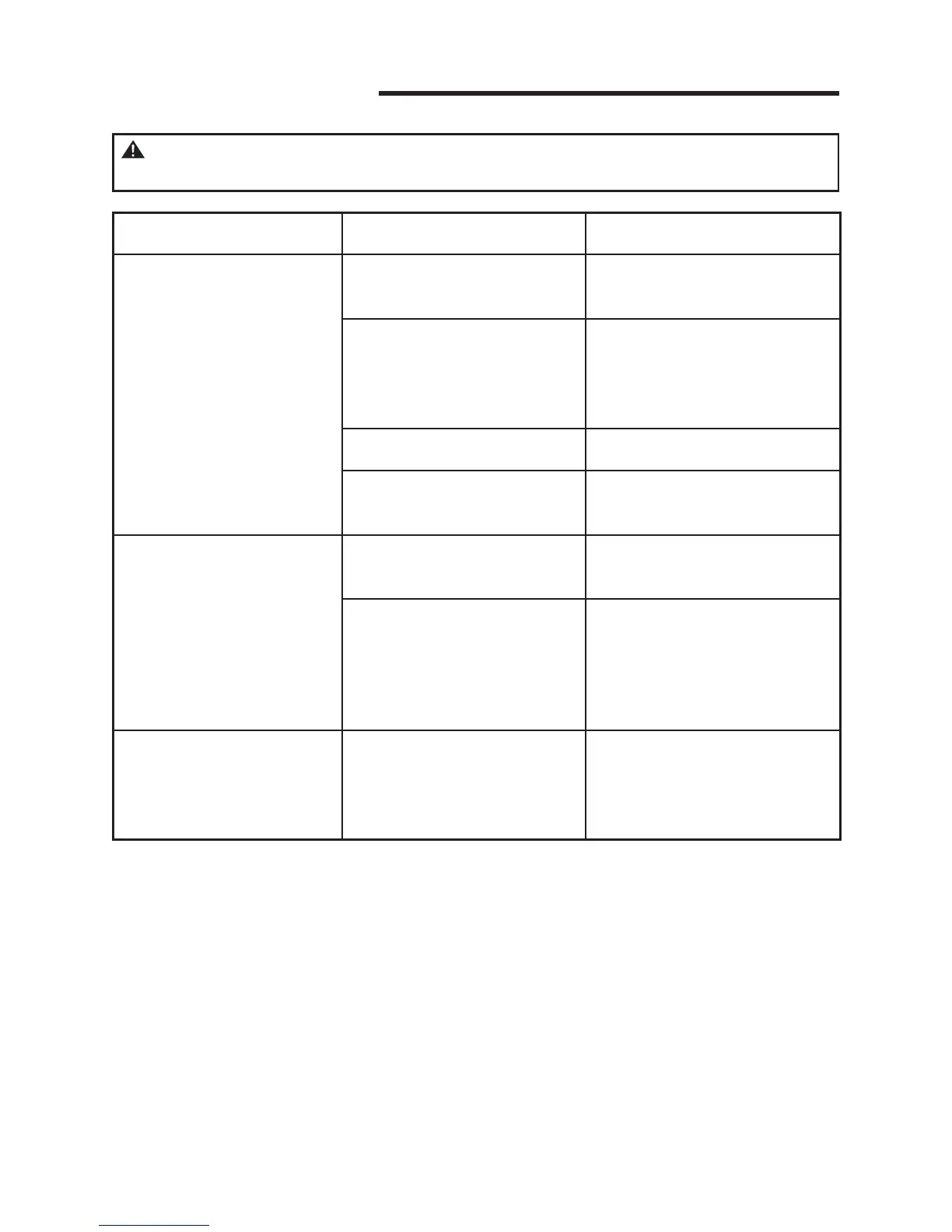
Problem Possible Causes Corrective Action
Vacuum will not operate.
1) No power supply.
1) Check power supply -
cord, breakers, and fuses.
2) Faulty power cord.
2) Unplug and check the
power cord. If damaged,
have it repaired by a
professional.
3) Collection tank is full. 3) Empty collection tank.
4) Switch in the wrong
position.
4) Press the ON ‘I’ button
on the power head.
Dust comes out from
motor cover.
1) The cartridge lter
missing or damaged.
1) Attach or replace the
catridge lter.
2) Vacuum has been used
to collect ne dust, such
as drywall dust, replace
soot, or ash, without a ne
dust lter equipped.
2) Remove the standard
cloth or cartridge lter and
install the appropriate ne
dust cartridge lter.
Reduced eciency and
motor/speed vibration.
1) There is a blockage in
the inlet. The dust lter is
clogged by ne dust.
1) Check nozzle, hose, and
tank inlets for blockage.
Take o the lter and clean
it, or install new lter.
WARNING: TO REDUCE THE RISK OF ELECTRIC SHOCK
UNPLUG BEFORE TROUBLESHOOTING.



 To Next Page