11
Automatic Emissivity Adjustment
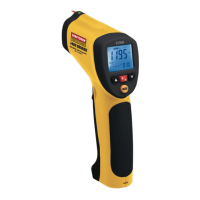
The 81998 has the ability to automatically calibrate the
emissivity setting. However, in order to do so, the temperature of
the measured surface must be above 212ºF (100ºC)
.
Follow the steps below to use the automatic emissivity
adjustment feature:
1. Press the MODE button until the EMS (Emissivity) icon
appears on the lower LCD line.
2. Press and hold the Laser/Backlight button until the EMS icon
begins to blink and the emissivity value is displayed as “___”.
3. The IR temperature will be displayed on the middle line of
the LCD and the Type-K temperature will be displayed on
the lower LCD line.
4. Touch the Type-K sensor to the surface and, at the same
time, take an IR reading.
5. When both the IR and the Type-K measurements stabilize,
press the UP or DOWN arrow button. The new emissivity
value will now be displayed.
6. Proceed to take measurements.


 To Next Page