21
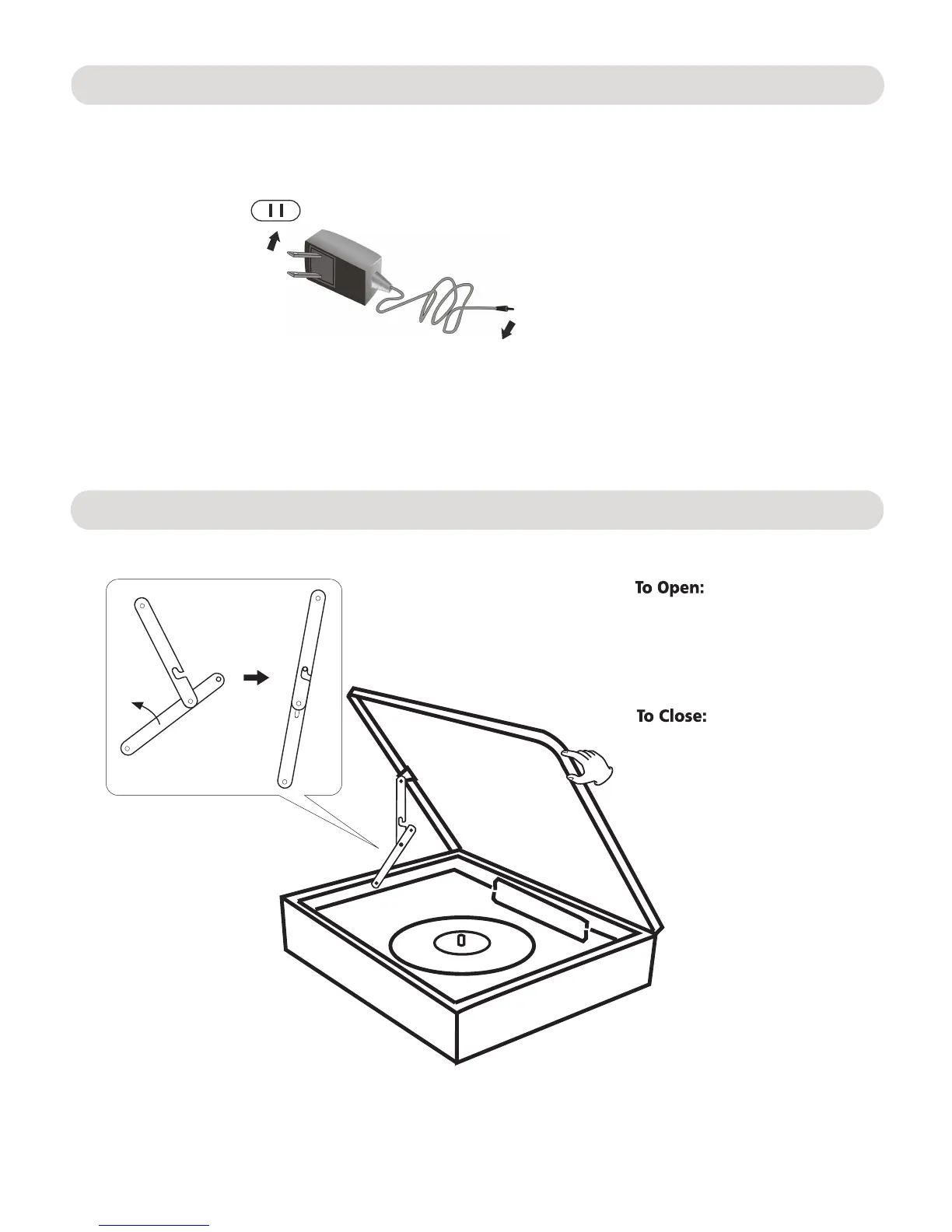
Insert the AC/DC Adapter power plug into a conveniently located AC outlet having AC 120-240V~,50/
60Hz.
AC outlet
AC/DC Adapter
To the DC IN jack of the rear of the unit.
Open/close the turntable cover
1. Lift the cover.
3. Close the cover.
1. Lift the turntable cover.
2. Push the arms to backward to
release the lock.
2. Pull the arms to front to lock it
as the figure on left.
Power Source
5


 To Next Page