Listening through Bluetooth
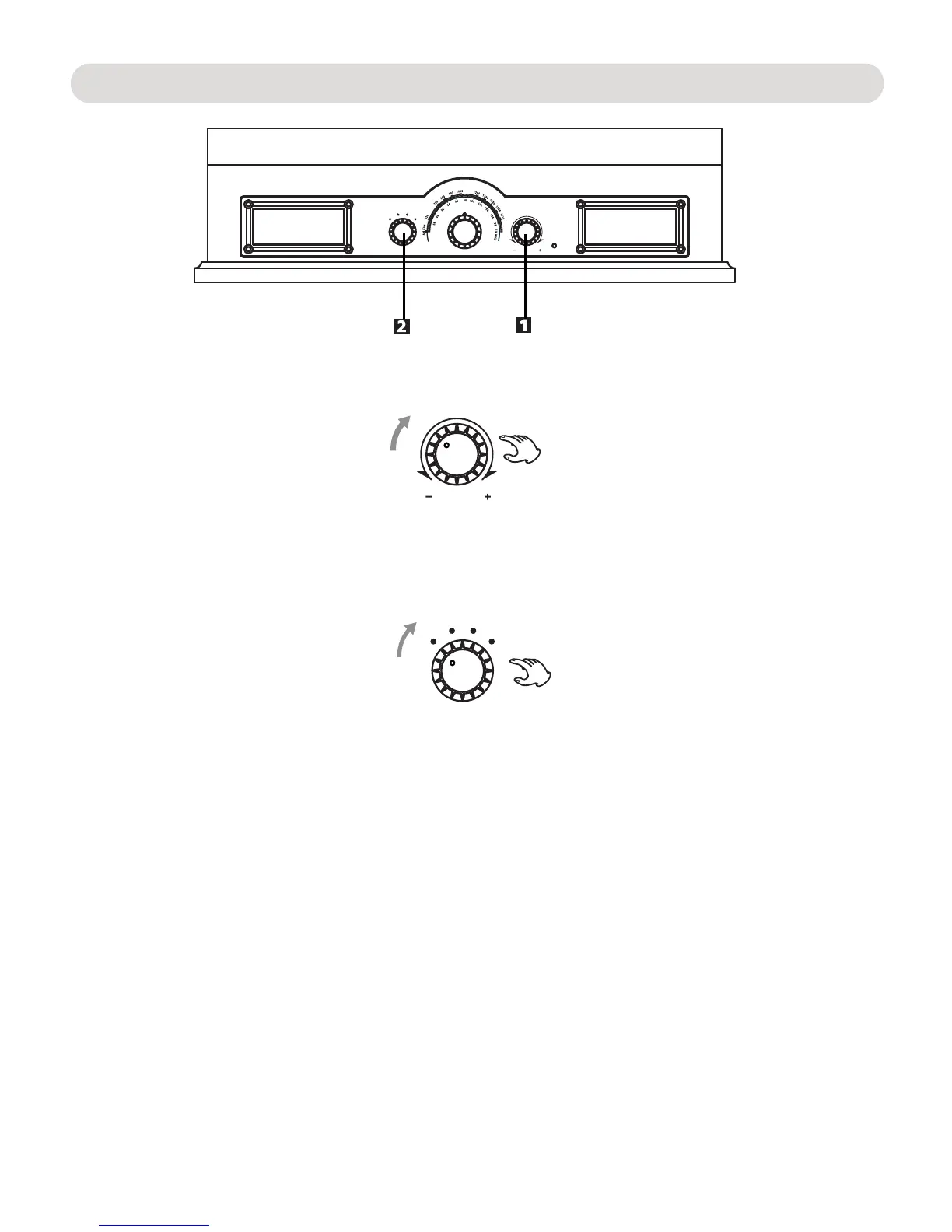
3. Activate the Bluetooth function in your player(e.g. Mobile phone) and try to sear and pair.
4. The pairing name “ ” will appear on pairing list and choose it to make pairing.
6. During playing, the indicator will blink slowly, adjust volume level by volume knob.
5. It will send a sound after successful pairing and connection, the indicator will stay lit.
F
M
A
T
M
B
VOL UME
U
X
/
A
O
N
O
H
P
After first time pairing and connection, the unit can be paired and connected with the device connected before.
VOLUME
F
M
A
T
M
B
U
X
/
A
O
N
O
H
P
CD695
NOTE:
1. Turn the VOLUME Knob clockwise until a sound "click" is heard to turn on the unit, the indicator will light up.
2. Turn the function selector to the "BT" position, the indicator will light up Blue and blink fastly, now it is ready
for pairing.
7


 To Next Page