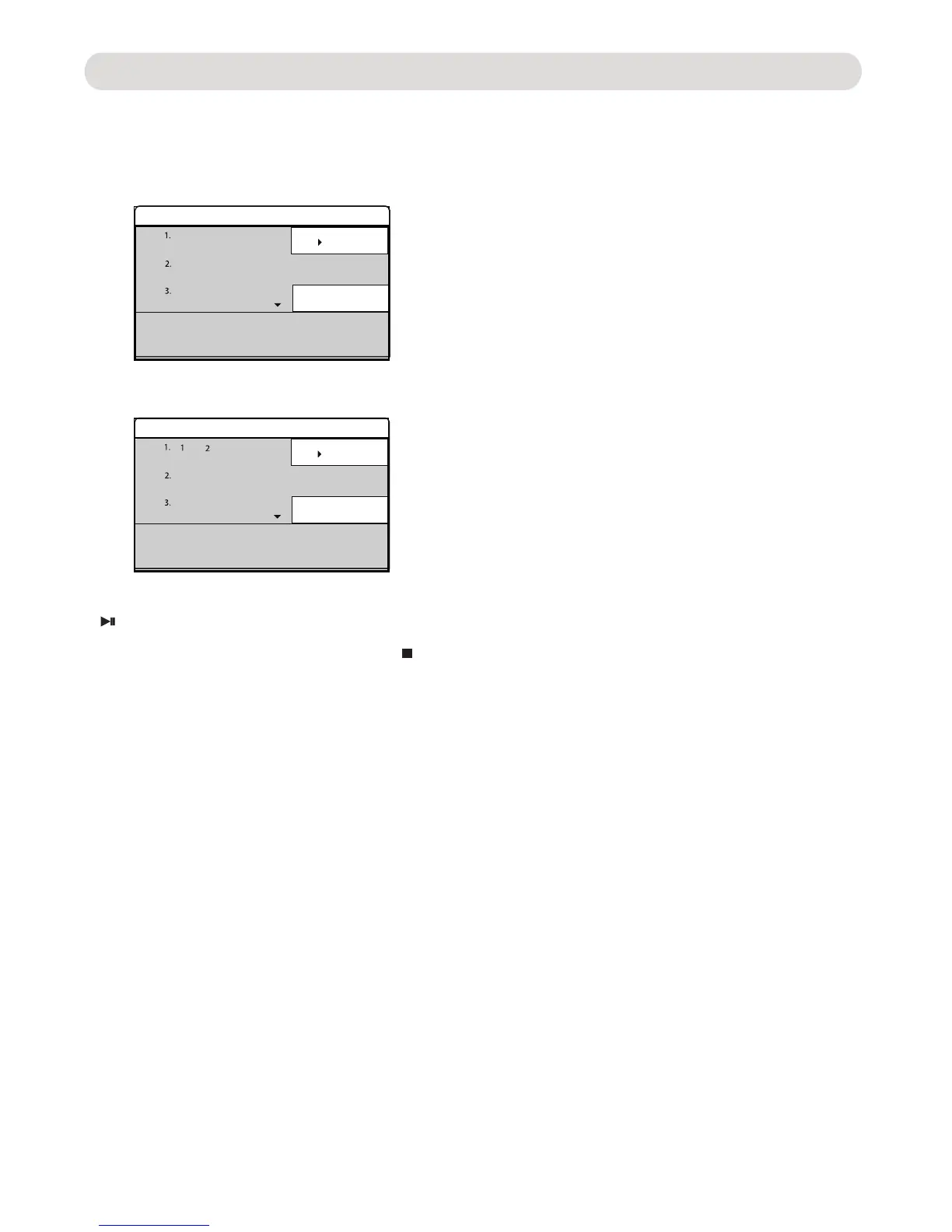
Programming a DVD:
OPERATIONS
- 1 1-
... ...
... ...
Play
Clear program
Program
... ...
... ...
Play
Clear program
Program
... ...
... ...
Play
Clear program
Program
... ...
... ...
Play
Clear program
Program
... ...... ...
Use the Direction and numeric buttons to enter the number of desired Title and Chapter.
below.
For example, if the desired Title number is "1" and Chapter number is "2" in first track then enter the "1" in first column
and "2" in second column as the figure below.
Notes:
~ To stop program playback, press the STOP button twice.
~ During setting, press the CLEAR button to erase the wrong enter.
Repeat the same procedures until all the desired Chapter was enter then use the Direction buttons to highlight the
Play button on the screen to start program playback.
~ During setting, use the Direction button to highlight Clear program button on the screen to clear all settings then
press the PROG button to exit.
During DVD playback, press the PROG (Program) button, the program setting menu will appear on the screen as
the figure



 To Next Page