6
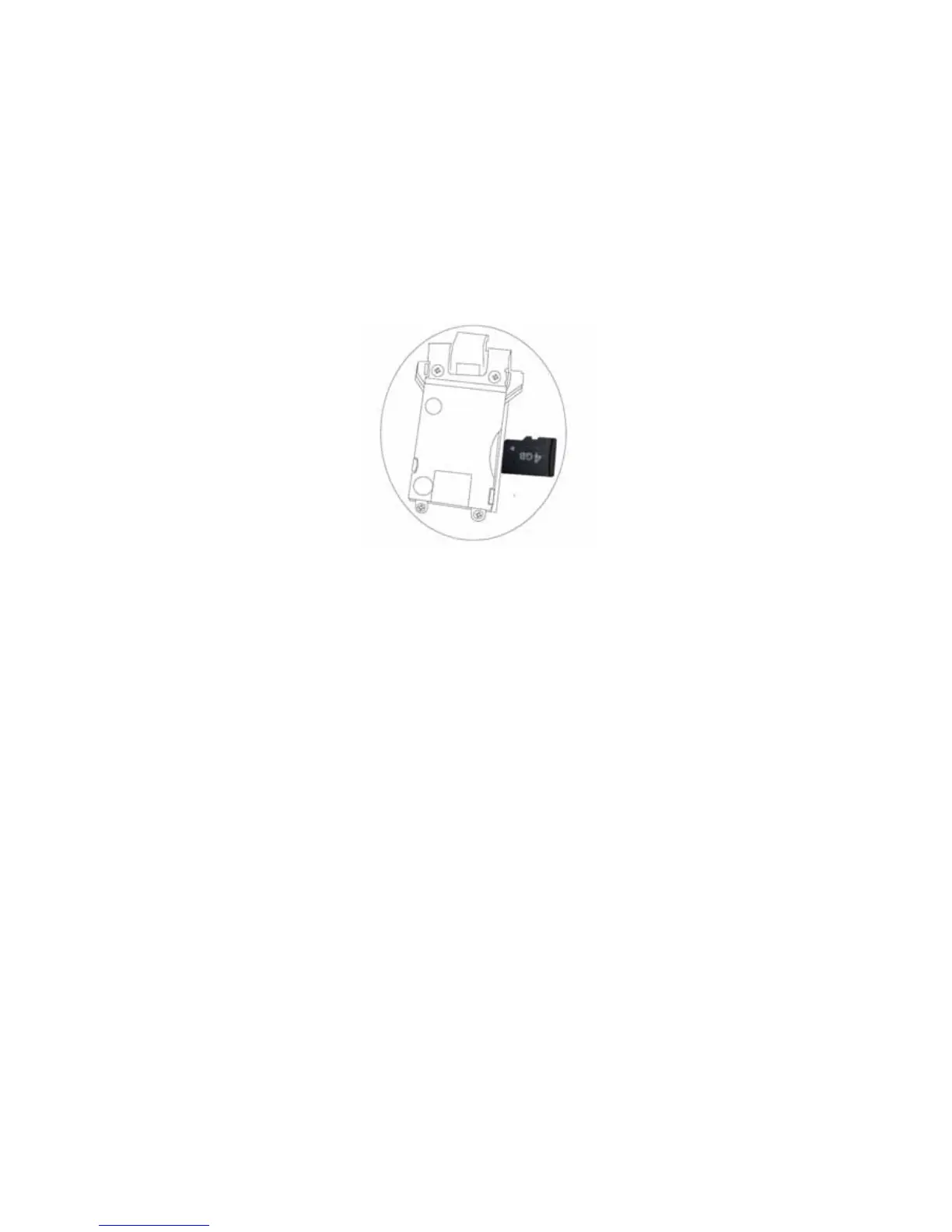
Micro SD Card Installation:
The unit is support to take photos/videos then record in a Micro SD Card (not supplied).
Insert a Micro SD Card into the Micro SD Card Slot with contact fingers face to blades side
as the figures follow:
Notes:
A. Insert the class 4 (or up) Micro SD Card (Up to 32GB) into the Micro SD Card Slot
with contact fingers face to blades side. When inserting the storage card, make sure
the direction you selected is correct. Never insert violently t o avoid damaging the card
or the unit. If it doesn’t work, please check if the direction is correct.
B. To take out the card, press the card until a “Click” sound is heard then pull out the
card.
C. Before insert or replace the storage card, make sure the unit is in powered off mode
(The built-in battery had not connection)
D. When the card is first time use, or it has been used i
n other device. Format it through
the computer.
(Important: After format, all record in the memory card will be erased. Upload the
record to any computer before format.)



 To Next Page