77777
7
Parts and Assembly
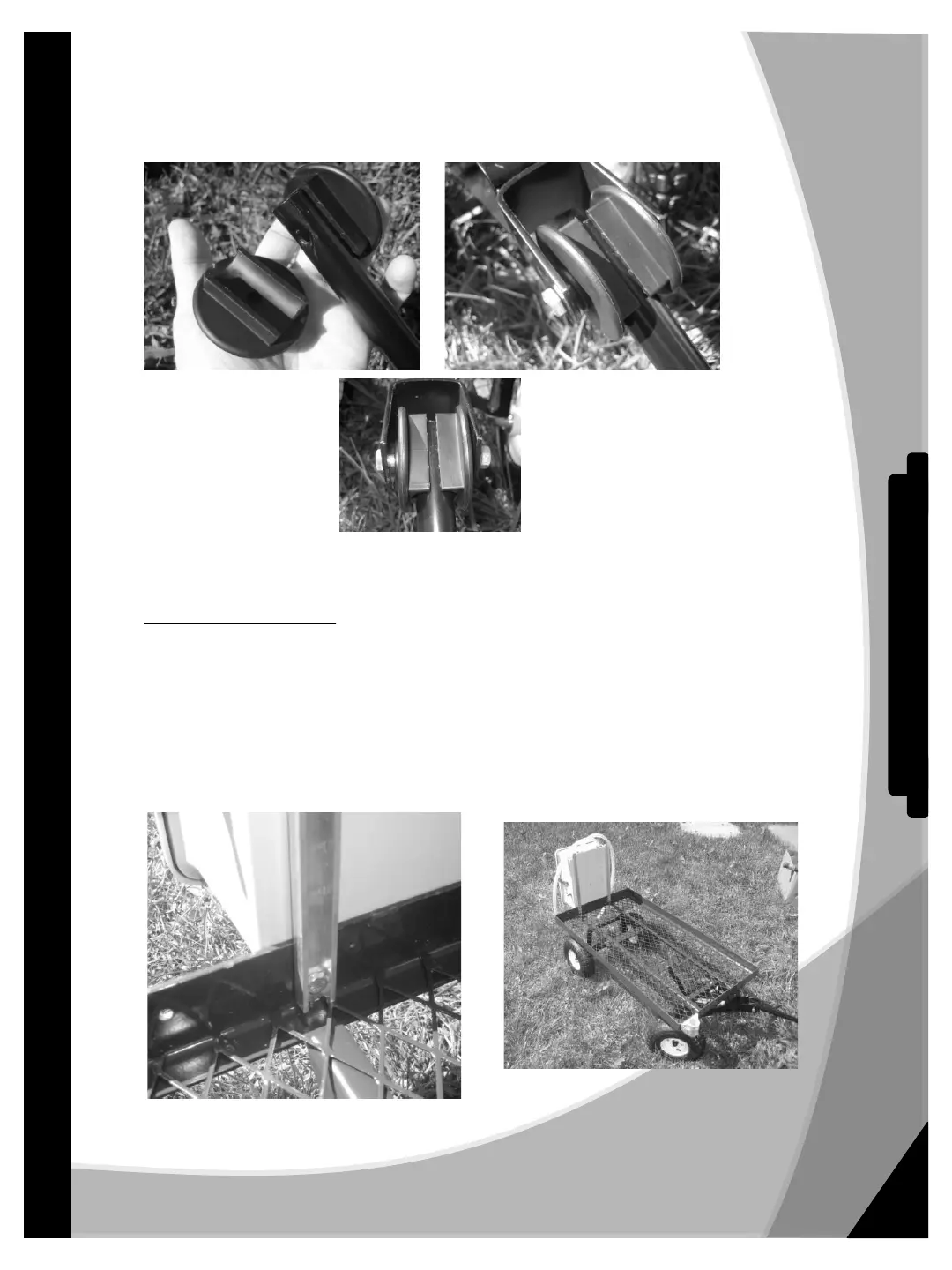
• Remove bolt and nut from bottom of handle holding the plastic washers against the handle.
• Place this assembly between the forked section of the steering tongue on the cart lining up
the holes.
• Install long bolt through tongue, washers, and handle.
• Install nut and tighten assembly just enough so handle can stay up on its own.
PowerFlo Pump Cabinet
• On the rear of the cart opposite the handle locate two holes drilled toward the center of the cart
side rail.
• Line up the elongated holes on the mounting tabs at the bottom of the cabinet with the holes in the
cart slipping the rail of the cart between the aluminum mounting strip and the rear of the
cabinet.
• Install two ¼-20 x 3/4" bolts through the metal strip, cart rail, and cabinet mounting tab with the
bolt heads on the cabinet side and the locking nuts on the inside of the aluminum support side
just as they are on the upper part of the cabinet (already attached). Tighten securely.
PowerFlo ™ - Owner's Manual


 To Next Page
 Loading...