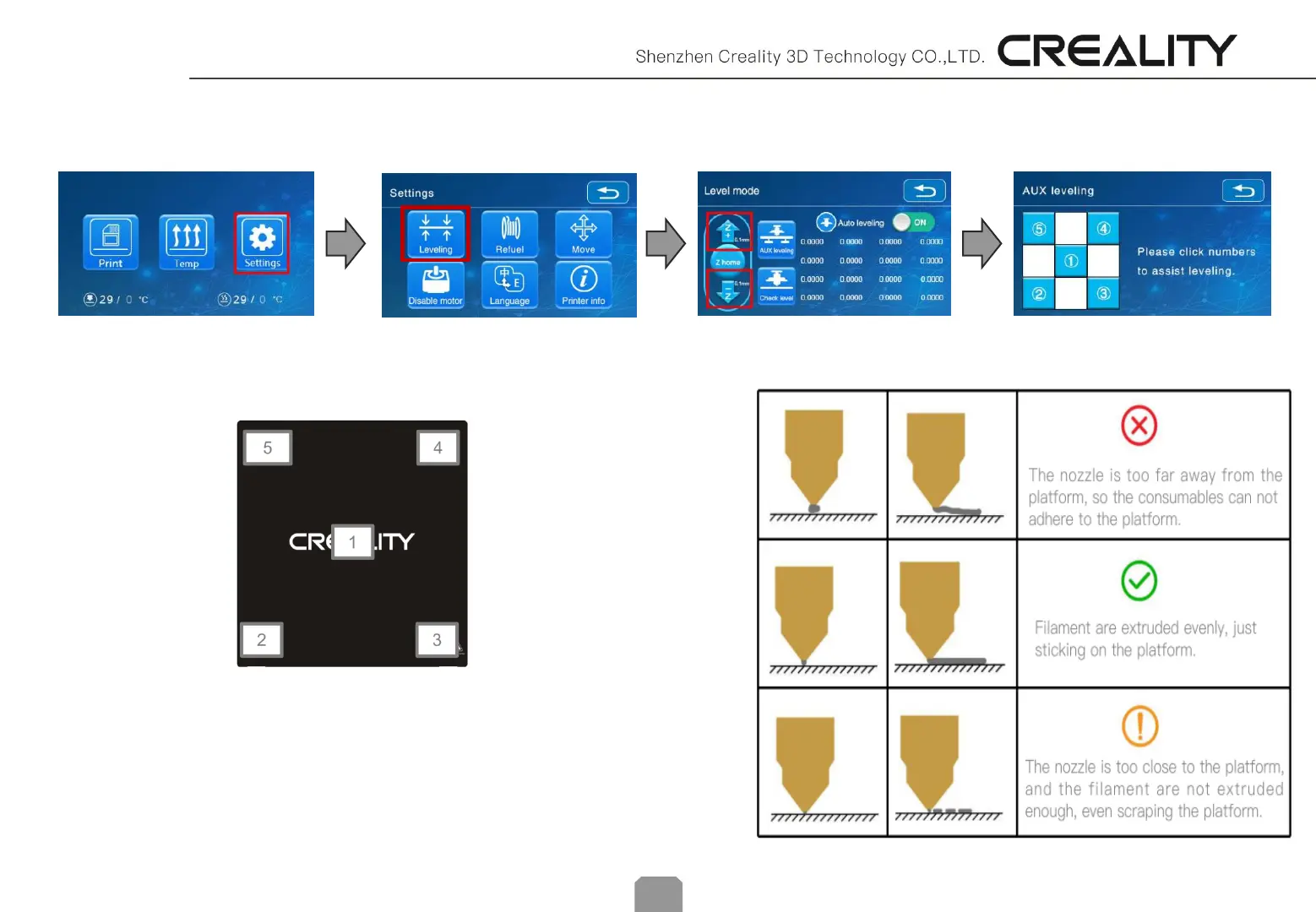
1. Slightly tighten the four leveling nuts at the bottom of the platform before initial leveling.
2. Select "Settings" → “Level mode” → “AUX leveling” , click on the number ②.
3. Adjust the platform height by turning the knob underneath. Use apiece of A4
paper (standard printer paper) to assist with the adjustment, making sure that the
nozzle lightly presses on the paper.
4. Complete the adjustment on all 4 corners.
5. Click the number ① to test the platform height in the middle.
6. Repeat above steps one or two times if necessary.
AUX leveling :
10


 To Next Page