Side 2
Base
Lid
Side 1
Back Panel
Lid
(underneath)
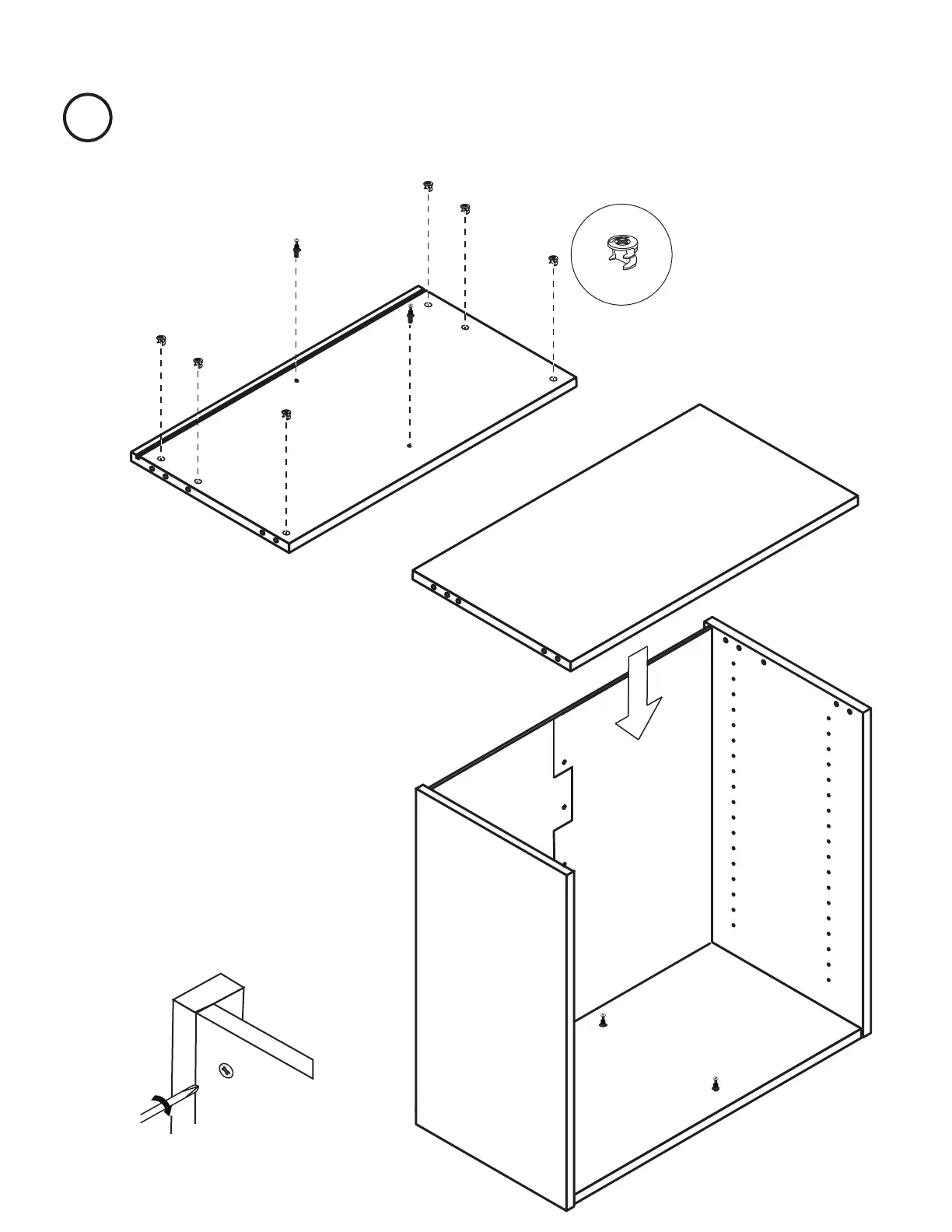
x6
Cams
Connect the top piece to the left and right panel
by lining up the posts and dowels with the corre-
sponding holes and tapping firmly into place.
5
Locate your Lid. With bottom side up, push posts and
cams into place, as indicated below.
Once connected, use your screw driver
to gently turn cams on Lid 220 degrees
clockwise to lock into position.


 To Next Page