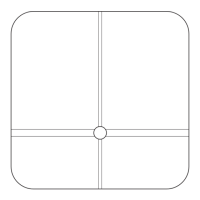
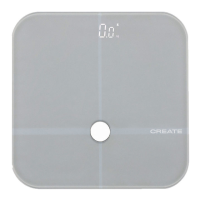
7
ENGLISH
OPERATION
• Batteries are included in the box, insert them into the battery compartment on the back of
the scale.
• Please use the scale on a hard, at and clean surface. Weight units can be adjusted and
chosen from Kg, Lb, and ST: LB from the button on the back of the scale.
For weight only
1. Press the base and it will get ready for use when the screen shows “O.Okg” after “88.8”
and you can press Up and Down buttons to switch within different units (kg/lb/st:lb).
2. Step on the scale, position your feet evenly near the center and keep your body still
until the scale stabilizes your weight. The scale will turn off automatically if there is
no further use.
For weight, body fat %, water %, muscle %, bone substance %, BMI and Calories.
1. Long press SET key to set your personal data when the screen shows O.O kg. Press Up or
Down keys to select a number from O to 9 as your personal code when the code number
ashes on the screen and once you reach your target number, please press SET again to
conrm.
2. Press Up or Down buttons to choose male or female prole when the gender symbol ash-
es on the screen and then press SET to conrm.
3. Press Up or Down buttons to reach your target height (100 - 240 cm) when the number and
cm icon ash on the screen and then press SET to conrm.
4. Press Up or Down buttons to rech your target age (10 - 80) when the word age and the num-
ber ash on the screen and then press SET to conrm.
5. Step on the scale gently and keep your bare feet in touch with the electrodes. Stand still
and maintain an upright posture to get your weight, body fat percentage, water percent-
age, bon substance percentage, BMI and total required calories intake readings. AII values
will be displayed for a few seconds, repeated twice, and the scale will be turned off auto-
matically following no further usage.
• The personal data will be stored once it is set. Conrm your user number everytime you use
the scale, your information will be shown automatically, there is no need to set it up again.
BUTTONS
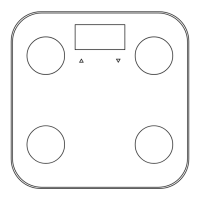
• SET key: Power on, menu select and conrm
• UNIT key: Unit change (kg /lb/ st:lb)
• Up key: To move up the menu
Down key: To move down the menu
• This device can be used by children 8 years of age and older, and
adults, with reduced physical, sensory or mental capabilities or lack
of experience and knowledge, if they have been given supervision or
instruction regarding the safe use of the device and understand the
hazards involved.


 To Next Page