
 Need help?
Do you have a question about the Creative Knowledge HansVision PX2201 and is the answer not in the manual?
Essential safety instructions to prevent product damage, fire, and user injury.
Access website for detailed information, support, repair, and warranty registration.
Details on turning the device on/off, entering sleep mode, and waking it up.
Connect earpiece for audio; can connect to speakers for home use.
How to charge the device using the provided USB cable.
Procedures for starting, stopping, and conserving power on the device.
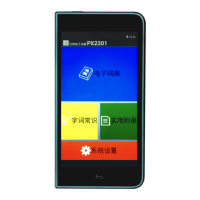
Overview of the four main parts of the device's main interface screen.
Explanation of common icons used for navigation and features.
Guide to typing Chinese characters using Pinyin, including variations.
Instructions for inputting characters using radical (Bushou) strokes.
How to input characters by writing them directly on the screen.
Using '*' and '?' for flexible character and word searches.
How to look up meanings of words within explanations.
List of resources for improving Chinese writing skills and understanding.
Details on poems, classic texts, and Pinyin knowledge available.
Settings for audio volume and display brightness.
Information on battery status and setting device standby time.
Configuration for handwriting recognition speed and date/time.
Guidelines for protecting the device from damage, temperature, and moisture.
Steps to ensure the device is ready for use during examinations.
Details for repair and warranty claims at designated service centers.
Information for sales, business, and cooperation matters.
 General
| Brand | Creative Knowledge |
|---|---|
| Model | HansVision PX2201 |
| Category | Electronic dictionary |
| Language | English |

 To Next Page
