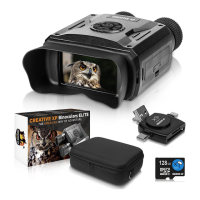
Need help?
Do you have a question about the Creative XP GlassOwl and is the answer not in the manual?
Instructions for installing the 18650 Model lithium-ion battery into the night vision binoculars.
Information on using external power sources via USB for continuous operation and charging.
Guidance on how to power the binoculars on and off using the designated button.
Details on the automatic power-off function and how to configure it in menu settings.
Guides on using the binoculars for observing scenery, focusing, and adjusting zoom and IR light.
Explanation of the icons displayed on the screen during operation, including mode, capacity, and settings.
Details on operating the binoculars in photo mode, taking pictures, and saving them to the TF card.
Instructions for shooting videos, starting and stopping recording, and saving video clips to the TF card.
Steps for viewing recorded videos and photos, and for deleting stored files from the device.
Procedure for adjusting screen brightness using the device's controls and menu.
How to adjust the infrared illuminator's brightness levels for optimal viewing in different conditions.
Guide on setting the device's internal clock, including year, month, day, hour, minute, and second.
Instructions for navigating and configuring various settings within the device's menu options.
Overview of the device's optical and digital performance specifications, including magnification and resolution.
Details on the power specifications and a list of included accessories and their quantities.
Guidelines for cleaning, storing, and maintaining the binoculars to ensure longevity and performance.
Instructions on how to achieve a sharp and clear image by using the focusing knob.
Guidance on activating and adjusting the infrared light for use in total darkness.
Advice on optimal usage during daylight or strong lighting conditions, including lens shelter use.
Tips for using the infrared illuminator at night, including runtime and brightness adjustments.
Information regarding the device's ability to observe objects through window glass.
Critical warning against using the binoculars in water due to potential damage and warranty voidance.
Recommendations for using the device in darkness, low light, and daytime, including IR CAP usage for optimal image quality.
Details on what defects and damages are covered under the manufacturer's limited warranty period.
Exclusions from the warranty, including specific types of damage, misuse, and component coverage.
Defines the duration of the limited warranty, starting from the date of purchase.
Outlines the user's recourse options, such as repair or replacement of defective products.
Instructions on the process for returning the product for warranty service, including contact information.
 General
| Image Size: | 1M (1280x960px)/VGA (640x480px) |
|---|---|
| Video Size: | 960P (1280x960px@30FPS) VGA (640x480px@30FPS) |
| Aperture: | F 1.2, f=25mm |
| Lens Angle: | FOV=10° |
| Lens Diameter: | 24mm |
| Digital Zoom: | 4X |
| Display Screen: | Inner screen 2.31” (960*240px) TFT |
| Outer screen: | 98*48mm |
| Storage Media: | Micro SD card up to 32GB |
| Viewing Distance in complete darkness: | 650-1000 FT |
| Viewing Distance in weak light: | 10 FT to Infinity |
| Operating Temperature: | -4°C to +140°C |
| Storage Temperature: | - 22°C to +160°C |
| IR LED: | 3W, 850nm |
| USB Port: | Micro USB 2.0 |
| Power Source: | 9V, 6xAA |
 Weight and Dimensions
| Dimension: | 19614659mm |
|---|---|
| Weight: | 20 Oz. |

 To Next Page