Live Drive CT4860/CT4861 7
Step 2:
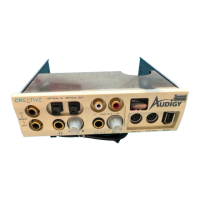
Insert the Live! Drive
into the System
1. Pass the following cable ends from the inside of the casing through the vacant 5¼" drive bay,
and then leave the cables dangling halfway on the outside of the casing:
❑ Smaller end of the power splitter cable
❑ Dark grey flat cable end with a black circle near the connector
❑ (Optional) Any end of the light grey flat cable (if you want to connect to a Digital I/O
card from an earlier purchase)
❑ (Optional) Cable end of the Digital DIN metal bracket (if you want to connect to
FPS2000 or DTT2500 speakers)








 To Next Page