Congratulations! 1
Congratulations!
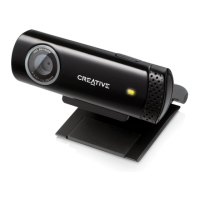
Creative Live!
®
Cam Voice, the first webcam with adaptive array
microphones, has fantastic voice clarity and high quality video images for
you to video chat with your friends and loved ones.
To get the most out of your Live! Cam, also read the comprehensive User’s
Guide on your Installation CD.
Refer to the figure on the cover and match the numbers with those below to
learn more about your Live! Cam.
1. Snapshot button
Press to launch Live! Cam Center
(when Live! Cam Manager is
running in the background) and
capture images.
2. Microphones
Capture voices clearly during
video chats.
3. Power LED
Lights up green when your
Live! Cam is connected to your
computer’s USB port.
Lights up red when performing
video and/or audio capture.
4. Hinged lever
Use this to mount your Live! Cam
on an LCD display panel.
5. USB cable
Connect to your computer’s USB
port.
Maple QSB_Multi_CLE.book Page 1 Tuesday, June 20, 2006 9:09 AM







 To Next Page