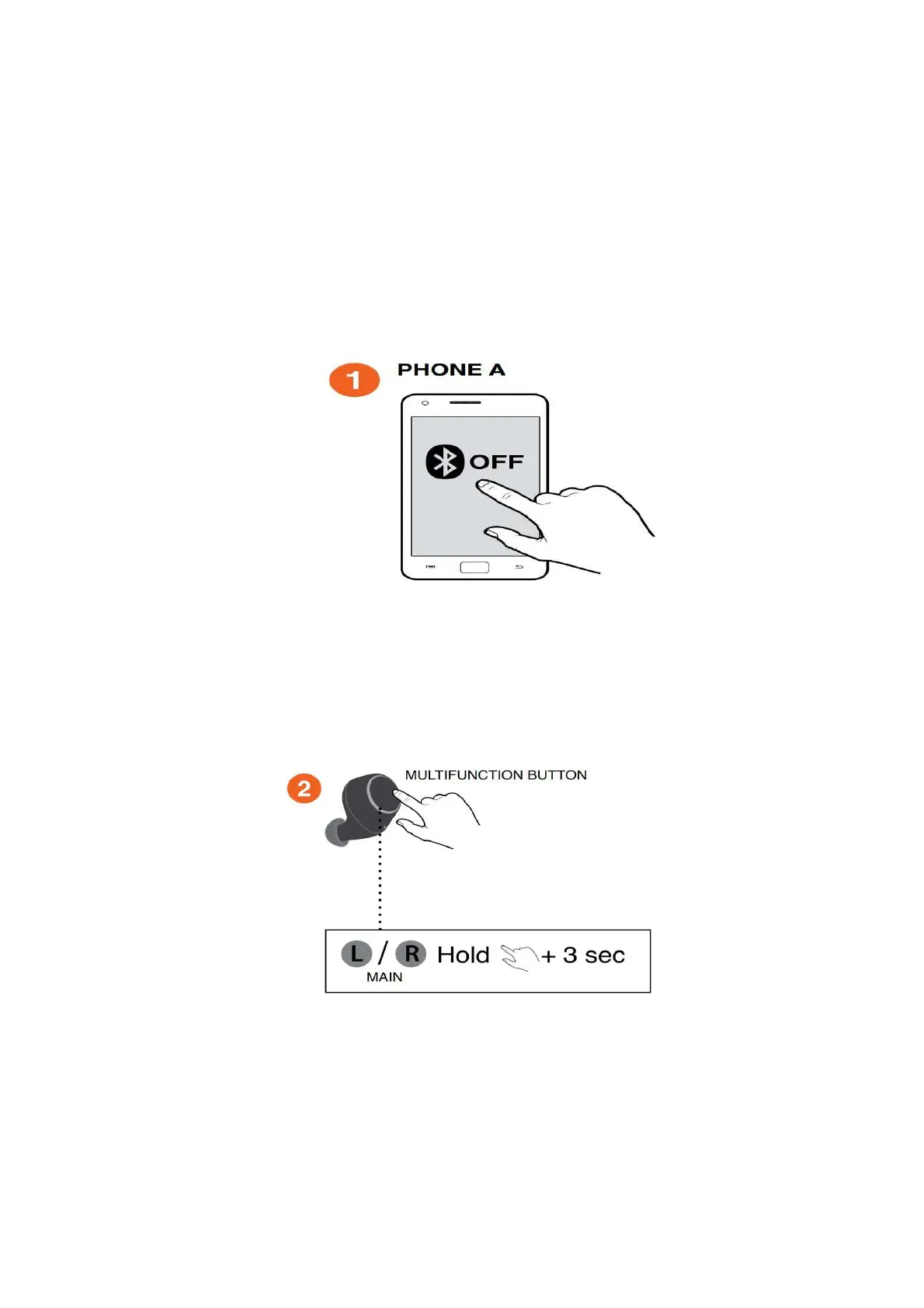
Pairing with a new Bluetooth device:
To pair a new Bluetooth device, follow the steps below:
1. Switch OFF the Bluetooth on the previously paired Bluetooth device to disable
the connection made (or remove 'Outlier Air L/R' from the paired Bluetooth list of
your Bluetooth device.).
2. On your main unit, press and hold the Multifunction button for 3 seconds to
initiate Bluetooth Pairing mode.



 To Next Page