
 Need help?
Do you have a question about the Creative SBS E2900 and is the answer not in the manual?
Instructions for powering the speaker on, off, and entering standby mode.
Guide on cycling through various input modes like Bluetooth, AUX, DVD, USB, SD Card, and FM.
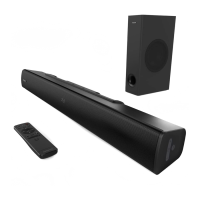
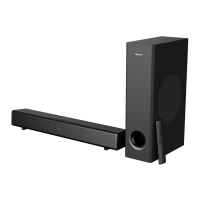
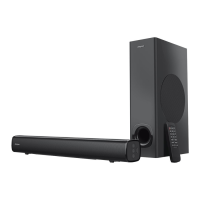
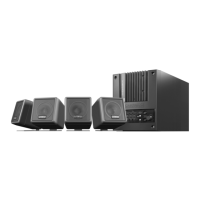
The Creative SBS E2900 is a versatile 2.1 speaker system designed for a rich audio experience, offering multiple connectivity options and user-friendly controls. This system includes a subwoofer and two satellite speakers, providing a total of 60W RMS power, with a peak power of 120W, ensuring clear and powerful sound across a frequency response of 50 Hz to 20 KHz.
The primary function of the Creative SBS E2900 is to deliver high-quality audio from various sources. It supports wireless audio streaming via Bluetooth® 5.0, allowing users to connect their smartphones, tablets, and other Bluetooth-enabled devices within a range of up to 10 meters. The system supports Bluetooth® profiles such as A2DP (Wireless Stereo Bluetooth®) and AVRCP (Bluetooth® Remote Control), and utilizes the SBC codec for efficient audio transmission.
Beyond wireless connectivity, the SBS E2900 offers a range of wired input options. It features Aux-in and DVD-in ports, enabling connection to traditional audio sources like TVs, DVD players, and computers. For local media playback, the system includes a USB port and an SD card slot, supporting MP3 audio formats from USB mass storage devices and SD cards up to 32GB (FAT16 and FAT32). It does not support SDXC memory cards.
An integrated FM radio tuner allows users to listen to their favorite radio stations, with a scanning frequency range of 87.5 MHz to 108 MHz. The system also includes an LED display that provides visual feedback on the current mode, track information, and radio frequency.
The Creative SBS E2900 is designed for ease of use, offering both on-device controls and a comprehensive infrared remote control.
To power on the speaker system from "Standby" mode, where the LED display shows "----", simply press the "ن" button on the device or remote. To return to "Standby" mode, press and hold the "ن" button again.
Users can easily switch between different input sources—Bluetooth (BT), AUX, DVD, USB, SD Card, and FM radio—by pressing the "SOURCE" button on the device or remote. The LED display will indicate the active source (e.g., "bt" for Bluetooth, "AU" for AUX, "DUD" for DVD, "Ub" for USB, "Sd" for SD Card, and "F" for FM radio).
Volume can be adjusted using the Volume Control Knob on the subwoofer or the "Volume+" and "Volume-" buttons on the remote control.
When playing media from a USB drive or SD card, users can navigate tracks using the "Previous Track / Previous FM station" and "Next Track / Next FM station" buttons on the device or remote. The "Play/Pause / FM Auto Scan" button allows for playback control. The remote also features a 0-9 Numeric Keypad for direct track selection. In USB and SD Card modes, the "TUNING+" button on the remote can cycle through repeat modes: Repeat All, Repeat Once, or Repeat Off.
To automatically search for FM radio stations, press and hold the "►II/FM SCAN" button on the device or the "Play/Pause / FM Auto Scan" button on the remote. For manual tuning, use the "Tuning-" and "Tuning+" buttons on the remote to adjust the frequency step-by-step (0.1 MHz per step). Press and hold "Tuning-" or "Tuning+" to search for the next available channel. Once a desired FM channel is found, it will play automatically. To save a favorite FM channel, press the "Memory" button on the remote. Saved stations can be toggled using the "Previous Track / FM station" and "Next Track / FM station" buttons.
In Bluetooth mode, the system will provide voice and front-LED display cues to guide the pairing process. To initiate Bluetooth pairing, press and hold the "►II/FM SCAN" button on the device. By default, the system will attempt to connect to the last paired device if available, while remaining discoverable to new devices as long as it's not connected to any Bluetooth device.
The remote control includes a "Tone" button that allows users to adjust Bass and Treble settings. Pressing "Tone" enables adjustment using the "VOL +/-" buttons, with levels ranging from -6 (min) to +6 (max).
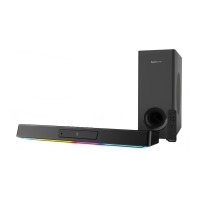
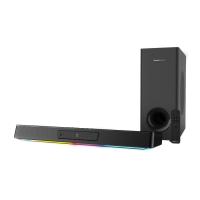
The "LED" button on the remote allows users to toggle between Red, Blue, and Purple color presets for the LED display.
Press the "Mute" button on the remote once to turn the volume off, and press it again to restore the volume.
The Creative SBS E2900 requires minimal maintenance to ensure optimal performance and longevity.
Always use only approved mains plugs supported in your country or region. To ensure complete disconnection from the power supply, detach the mains plug from the socket. If the device will not be in use for over a week, it is recommended to detach the mains plug from the socket.
While not explicitly detailed, general electronic device cleaning practices apply. It is advisable to gently wipe the exterior surfaces with a soft, dry cloth to remove dust. Avoid using liquid cleaners directly on the device.
The serial number for your Creative SBS E2900 is located on the subwoofer. It is important to write this number down and keep it in a secure place for warranty or service purposes.
The infrared remote control requires 2 x AAA batteries (not included). Users should replace these batteries when the remote's functionality diminishes.
The system supports SD cards and USB mass storage devices up to 32GB, formatted in FAT16 or FAT32. Ensure that media used is compatible to avoid playback issues. The system does not support SDXC memory cards.
By following these usage and maintenance guidelines, users can enjoy a reliable and high-quality audio experience from their Creative SBS E2900 speaker system.
 General
| Product color | Black |
|---|---|
| RMS rated power | 60 W |
| Recommended usage | Universal |
| Remote control type | IR |
| Audio output channels | 2.1 channels |
| Supported radio bands | FM |
| Peak Music Power Output (PMPO) | 120 W |
| Subwoofer weight | 3160 g |
| Subwoofer dimensions (WxDxH) | 170 x 335 x 313 mm |
| Subwoofer driver diameter (imperial) | 5.25 \ |
| Satellite speaker type | 1-way |
| Satellite speaker weight | 488 g |
| Number of satellite speakers | 2 |
| Satellite speakers RMS power | 15 W |
| Satellite speaker tweeter diameter | 3 \ |
| Satellite speaker dimensions (WxDxH) | 105 x 100 x 170 mm |
| Bluetooth | Yes |
| Bluetooth version | 5.0 |
| Line-in connectivity | 3.5 mm |
| USB 2.0 ports quantity | 1 |
| Connectivity technology | Wired & Wireless |
| Signal-to-Noise Ratio (SNR) | 75 dB |
| Amplification device included | - |
| Harmonized System (HS) code | 85182200 |




 To Next Page