THE SOUND BLASTER ROAR 2 PRODUCT GUIDE 20
PLUS A WHOLE ARRAY OF MIND-SHATTERING FEATURES! (cont.)
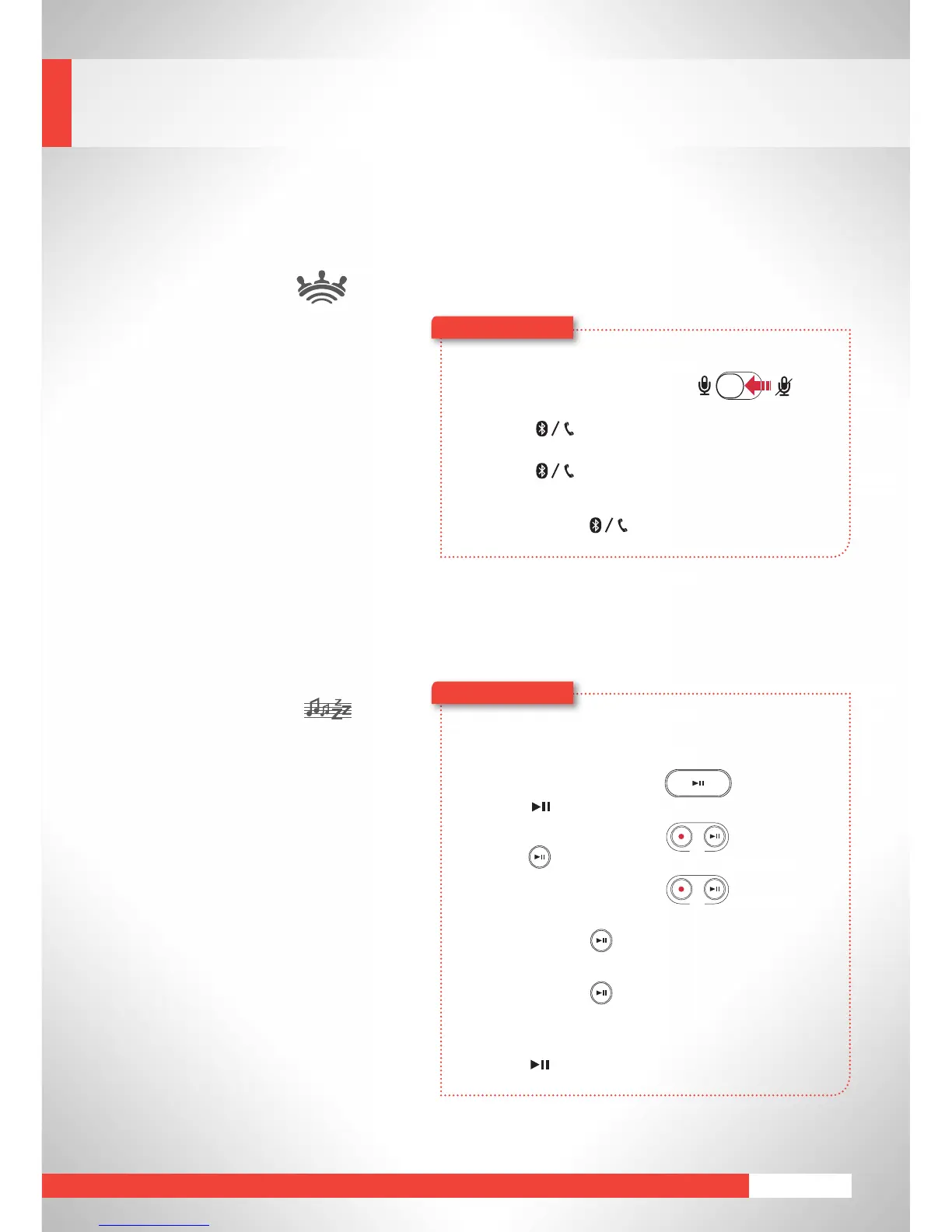
Speakerphone
Break away from answering calls
with your phone! With Sound Blaster
Roar 2, you can now have your
calls on the speaker with its built-
in microphone for an absolutely
hands-free experience. You can even
recordyourcalls!
1 Connect your smart device.
(Ensurethemicrophoneison)
2 Press to answer an incoming call.
3 Press again to end a call.
To reject a call:
Press and hold for more than 2 seconds.
Bedtime Mode*
In Bedtime Mode, the Sound Blaster
Roar 2 plays audio files from the
microSD card and gradually reduces its
volume before automatically shutting
down. This is a useful feature for you to
record yourself reading a bedtime story
and play it back to your children as they
are about to sleep.
* Patent pending
1 Insert a microSD card.
2 Start audio playback.
To play music files:
Press .
To play voice recordings:
Press(REC).
3 ActivateBedtimeMode.
For 15 minutes:
Press and hold (REC)untilyouhear a beep.
For 30 minutes:
Press and hold (REC)untilyouhear two beeps.
OR
To deactivate Bedtime Mode:
Press .










 To Next Page