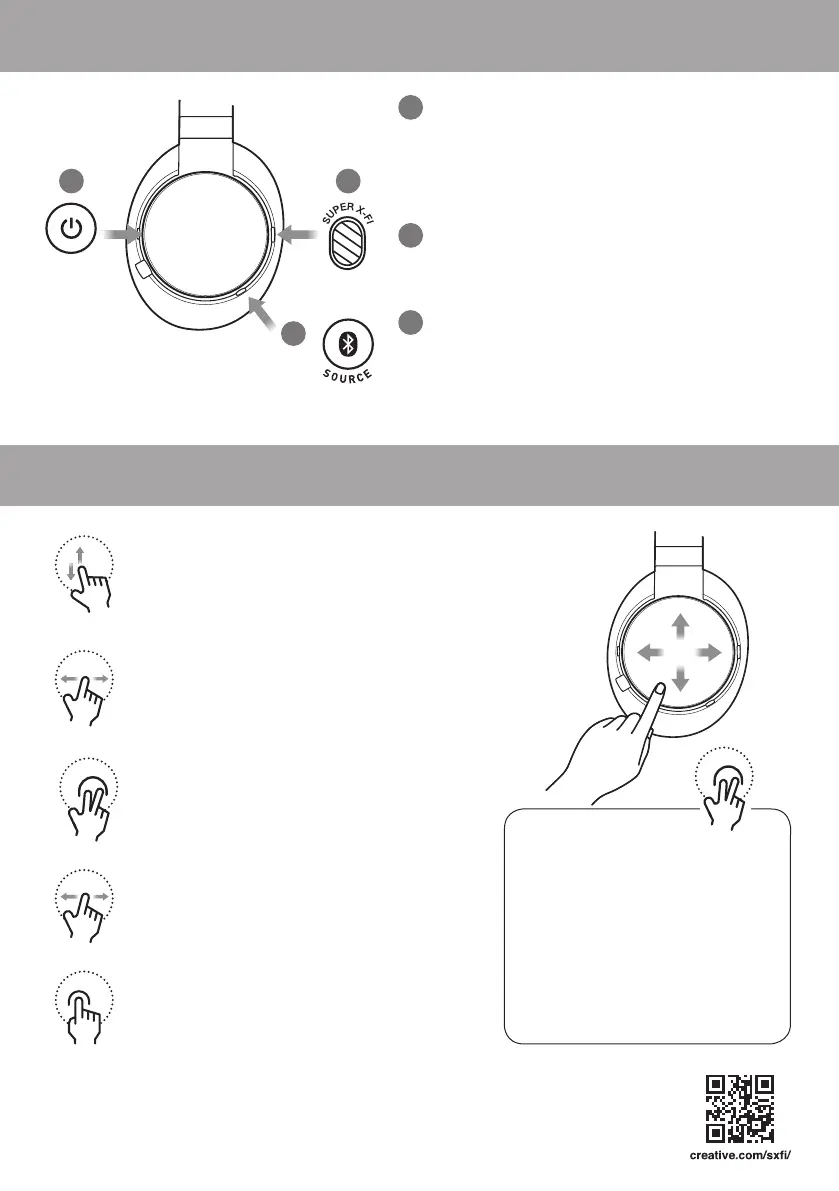
Touch Pad Gestures (LEFT ear cup)
• Swipe up to increase volume by 1 step
• Swipe down to decrease volume by 1 step
When Music Is Playing
• Swipe left to go to previous track
• Swipe right to go to next track
Mass Storage mode
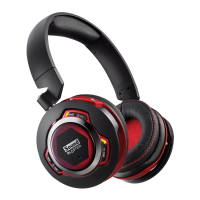
By default, the SXFI AIR works
as a USB Audio Device when
connected to a PC/MAC. Tap
with 2 Fingers and Hold for 4
Secs to enter into Mass Storage
mode.
To enter into USB Audio Device
mode again, perform the same
gesture.
Power Button
• Switch on / off the headset by pressing
and holding the button for 2 secs
• Press and hold shortly for RGB Rings to
indicate battery level
Super X-Fi Button
• Activate the power of Super X-Fi technology
with a touch of a button
Bluetooth / Source Button
• Pair / Connect SXFI AIR to user’s choice
of device
• Select between Bluetooth / MicroSD Card /
USB Audio with each push of a button
1 2
3
1
2
3
When Receiving Calls
• Swipe left OR right to change Call Panning
direction
• Tap and hold for 2 secs to initiate voice
assistant
When Receiving Calls
• Tap twice to answer / end call
When Music Is Playing
• Tap twice to initiate / pause playback
• 2 Finger Tap once to shufe music tracks
Note: Only applicable to microSD card playback
PN: 03EF081000002 REV A
Built-in Controls (LEFT ear cup)




 To Previous Page