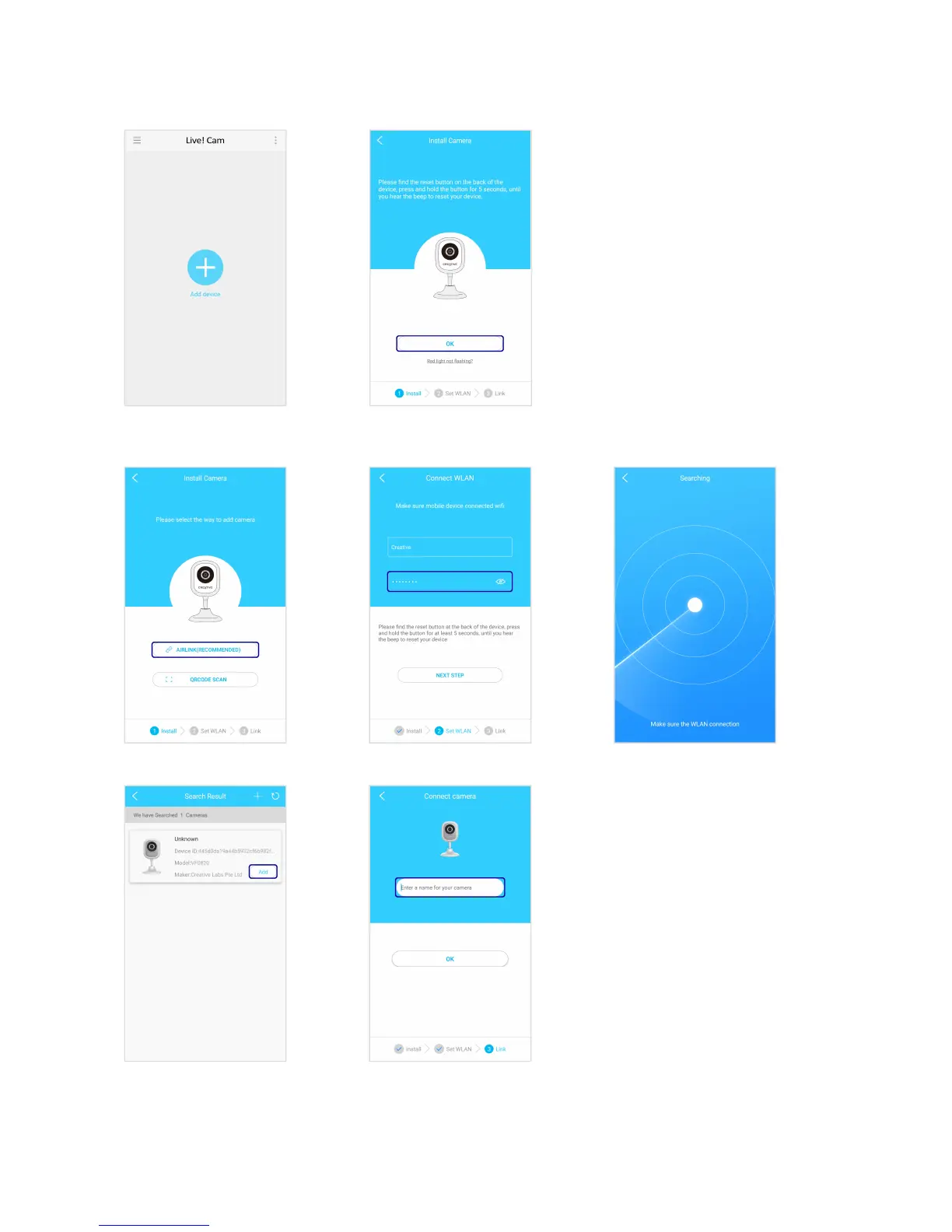
Step 4: Adding Camera
Note:
If the LED indicator is not blinking red,
reset the camera. Use a pin and press
the reset button at the back of your
camera for 10 seconds or until you hear a
sound. See Using Your Device –
Restore Factory Default Settings.
Via Airlink (Recommended)
Enter your Wi-Fi password.
When your camera is
connected, the LED indicator
will light up in blue.
^
Enter a name for your camera.
Live! Cam IP SmartHD (VF0820) – Setting Up Your Device 6


 To Next Page