Step 2: Installing the Live! Cam app
1. Connect your smart device to your Wi-Fi network.
2. Install the free Creative Live! Cam app from the App Store or Google Play.
Notes:
Ensure you connect to a 2.4GHz Wi-Fi network.
Keep your Wi-Fi name and password ready.
Step 3: Creating an account
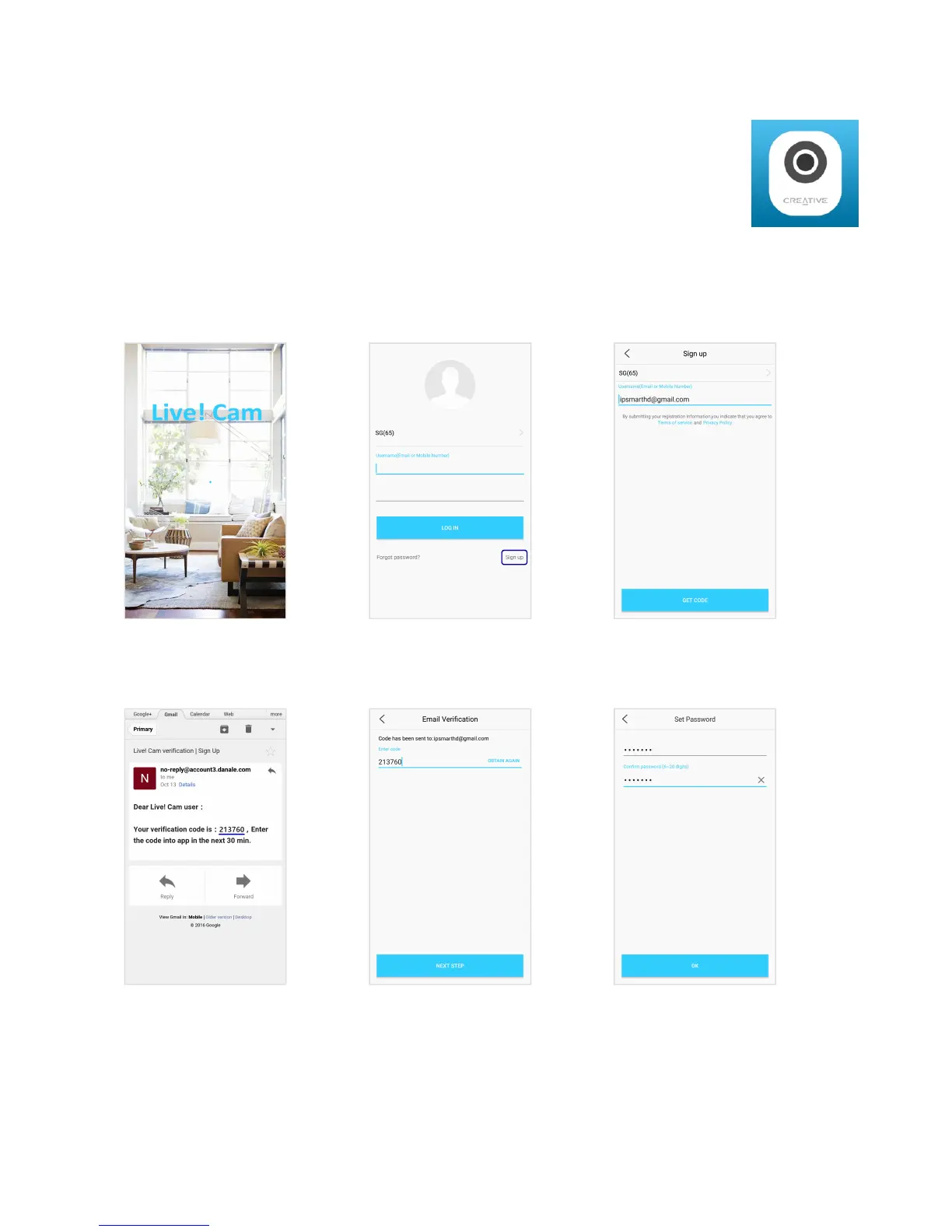
Open the Live! Cam app.
Select Sign Up to create a new
account.
Enter your valid Email address
OR Phone Number.
A Verification Code will be
sent to your email or phone.
Enter the Verification Code.
Enter your preferred
Password.
Live! Cam IP SmartHD (VF0820) – Setting Up Your Device 5


 To Next Page