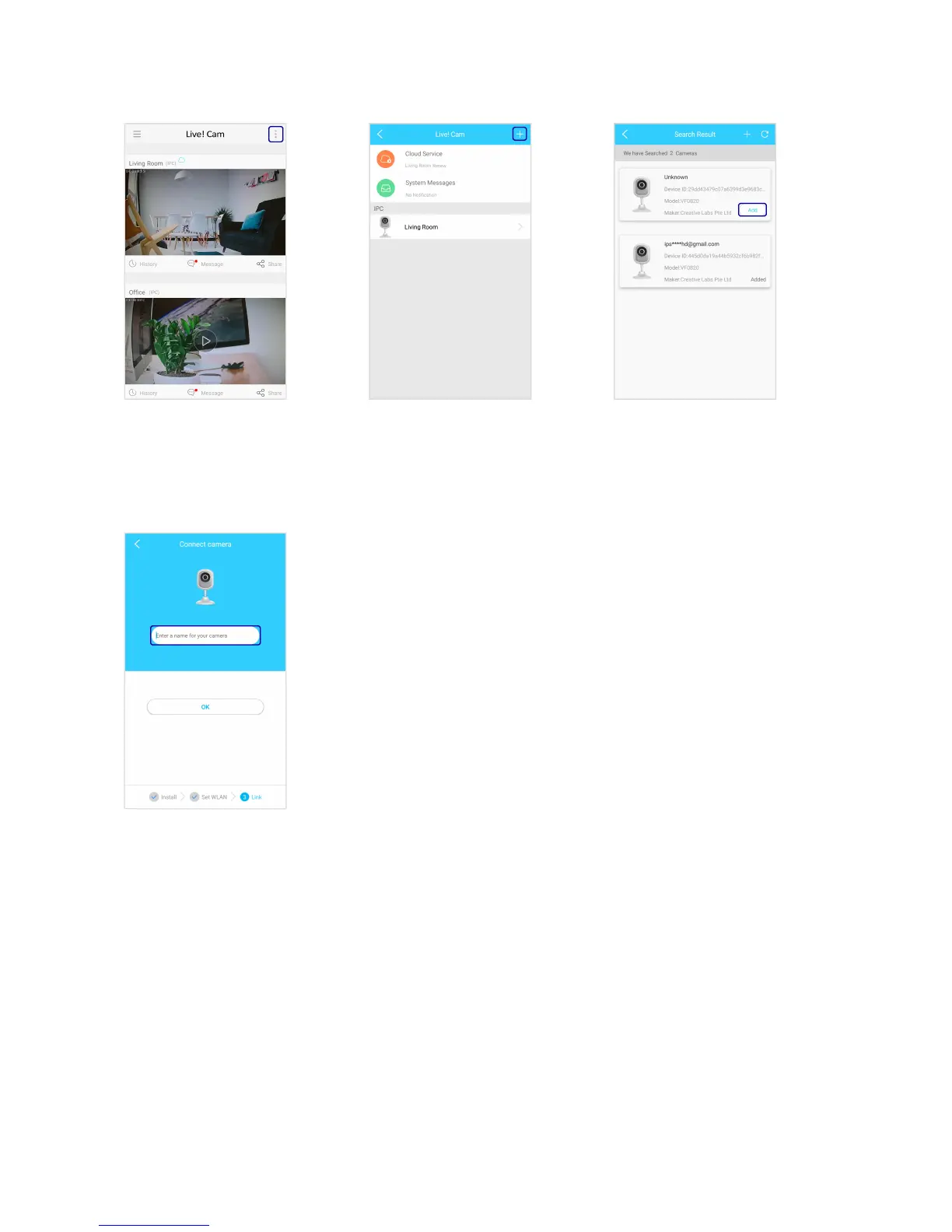
To add another camera
Select Add to add your
camera.
When your camera is
connected, the LED indicator
will light up in blue.
^
Enter a name for your camera.
Note:
^ If your camera fails to connect:
i. Check your Wi-Fi connection.
ii. Ensure that the Wi-Fi password is correct.
iii. Reset the camera and try again.
Live! Cam IP SmartHD (VF0820) – Setting Up Your Device 8


 To Next Page