3
E
N
G
L
I
S
H
3. Basic Usage
As a Web Camera
Be sure that your camera is connected to
your computer and operating properly.
1. Start PC-CAM Center by pressing the
Snapshot button on the camera.
2. In the PC-CAM Center window, click
the Live Video button. The current
camera view is displayed in the Viewing
window.
3. In the Video size box, select a suitable
resolution.
4. In the Save video in box, select the
destination album for your video.
5. To start recording a video, click the
Capture video button. The button
starts blinking to indicate that recording
is now in progress.
6. To stop the recording, click the button
again. The button stops blinking. By
default, the video is saved automatically
and added to the destination album.
To p r ev i e w a V i d e o
1. Click the Save automatically check
box to clear it, if you want to preview
each video before deciding whether to
save it to the destination album.
2. Click the Capture video button to
start recording.
3. After you stop recording, click the Play
button on the bottom-left corner of the
Live Video window to preview the
video.
4. If you wish to store it in the destination
album, click the Save button after
previewing the video.
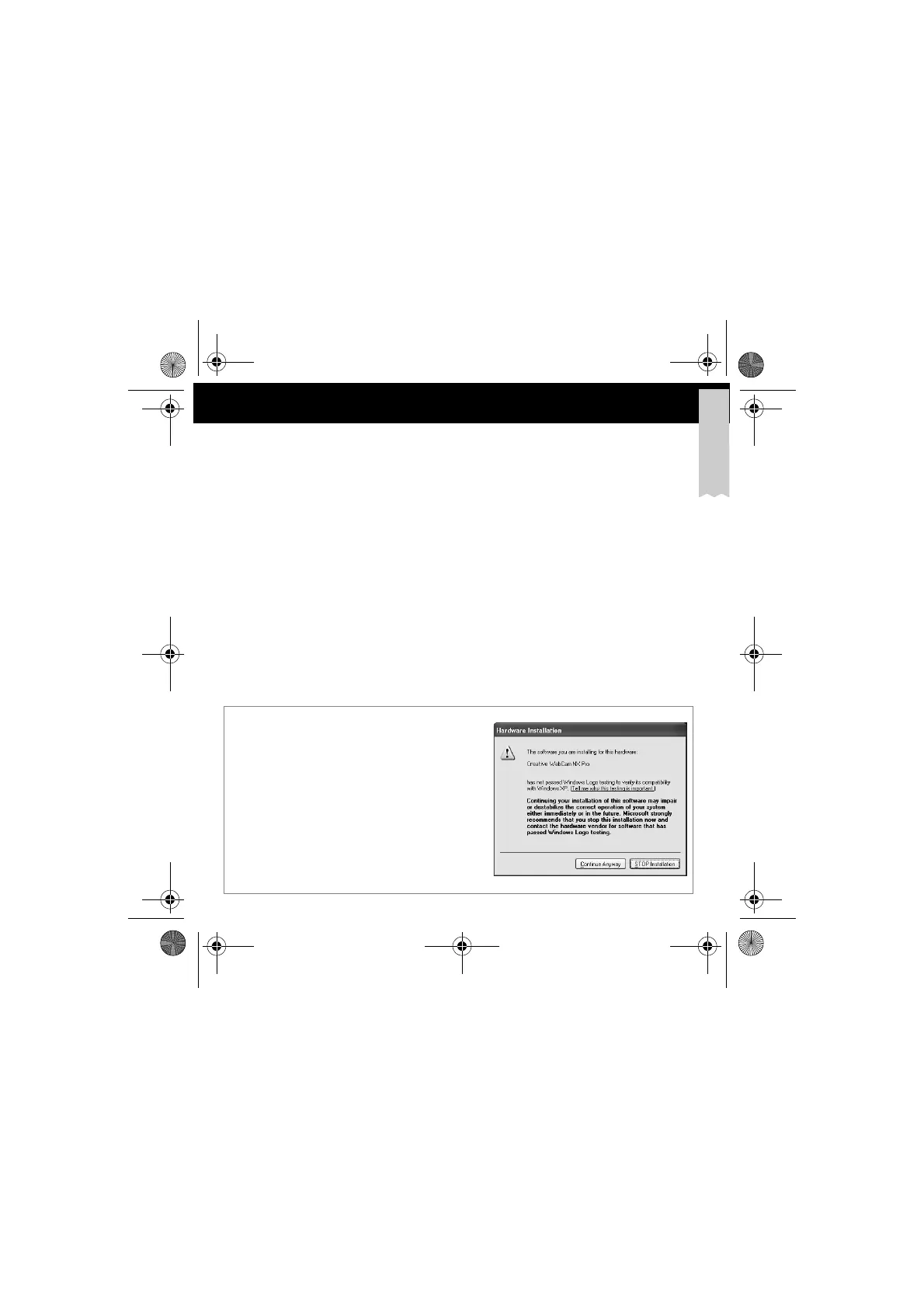
At the time of this product's release, Microsoft
strongly encouraged companies to submit their
hardware solutions for certification. If a hardware
device driver is not submitted, or does not qualify, for
Microsoft certification, a warning message similar to
the one shown here, appears. You may see the
message when installing this driver. If you do, you may
choose to click the Continue Anyway button.
Creative has tested this driver on Windows XP, and
it does not impair or destablize your computer.
For Windows
®
XP
®
users
CD-sized.fm Page 3 Thursday, May 1, 2003 11:44 AM







 To Next Page