6
2
2
Pair your headset and mobile phone
Before using your headset for the first time, pair it with a Bluetooth-enabled mobile phone.
If the pairing is not completed within two minutes, the Tri-color LED blinks yellow, and the
headset beeps five times before turning itself off automatically. Should this happen, repeat
steps 2 to 7.
1. If your headset is turned on, turn it off by pressing and holding the Multi-function
button for three seconds. The Tri-color LED turns off and you hear a beep.
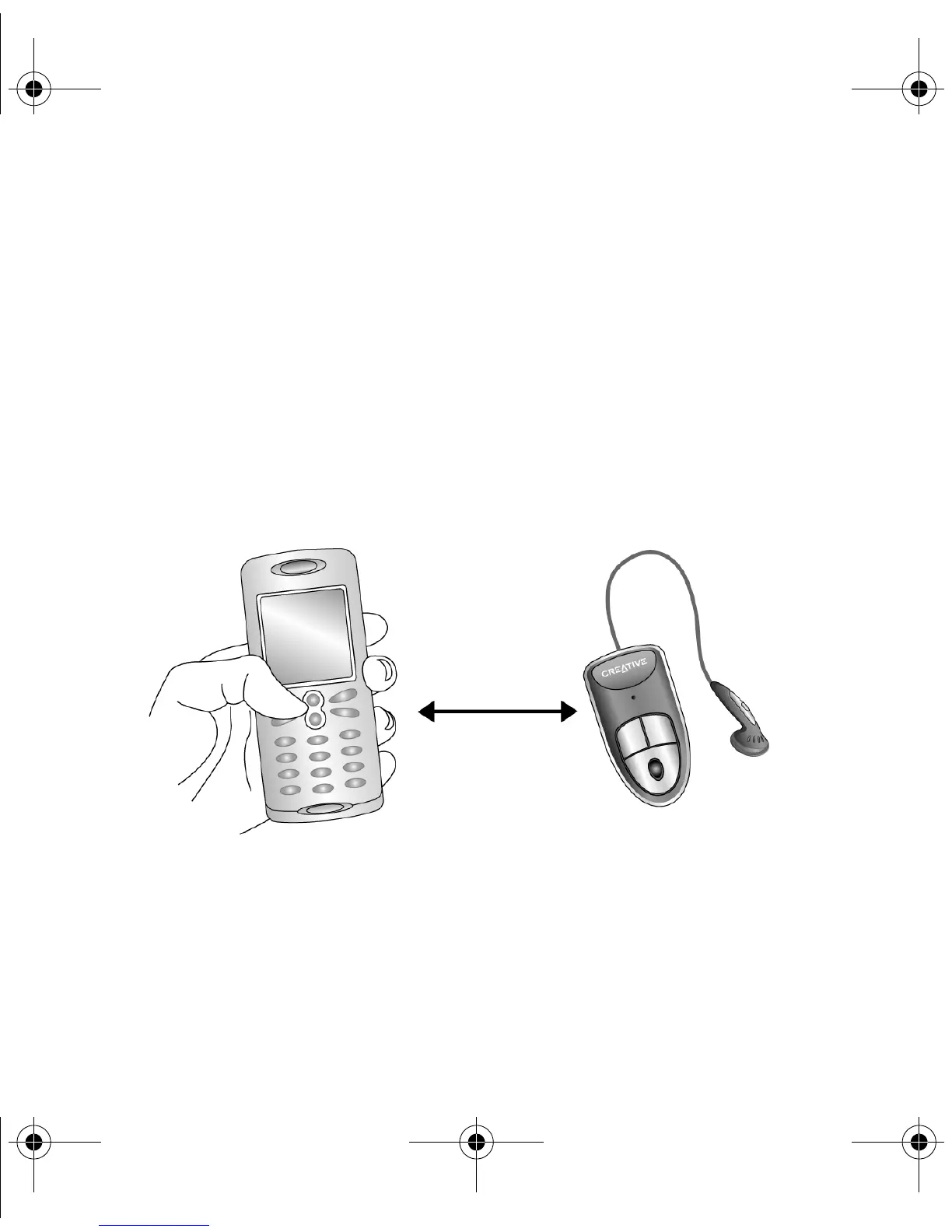
2. Place your headset within one meter (three feet) of your mobile phone, as shown in
Figure 3.
3. Press and hold the Multi-function button for eight seconds. The Tri-color LED
alternately blinks red and green.
4. Turn on your mobile phone’s Bluetooth feature. For more information, see your
mobile phone’s User’s Guide.
Figure 3
One meter (three
feet) or less
Wireless Bluetooth headset.fm Page 6 Monday, August 23, 2004 6:40 PM











 To Next Page