buttons for more than 6 seconds to clear the paired
audio devices
• If the headphones malfunction, reset it by supplying
USB power, then press the Volume Up “+” and Power/
Pair buttons for about 1 second
Automatic shutdown
• Once the headphones are powered on, if it is unable
to connect to a last paired device or failed to pair with
a new device within 5 minutes, the headphones will
automatically shut down.
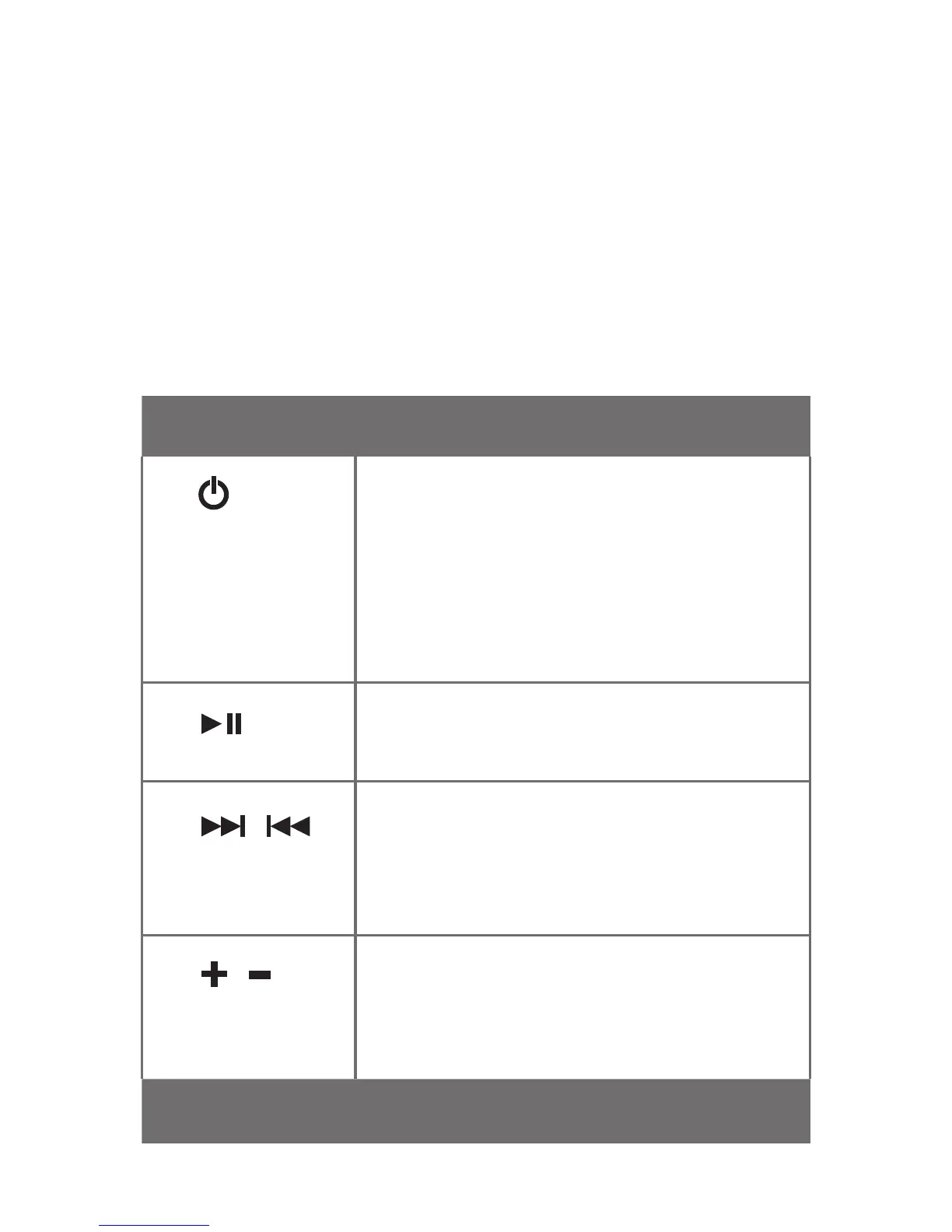
List of button, indicator and connector functions
Button Function
1.
Power/Pair
Press and hold to for about
2 seconds to power on the
headphones. Press and hold for
about 4 seconds to power off the
headphones. In off mode, press and
hold for more than 4 seconds to
activate Pairing mode.
2.
Play / Pause
Press to play. Press again to pause
playback.
3.
/
Next, Forward
/ Previous,
Rewind Track
Press to change to the next or
previous track. Press and hold to
fast forward or reverse track (this
function is device dependent).
4. /
Volume Up /
Volume Down
Press ‘+’ to increase or press ‘-‘ to
decrease volume. A beep tone is
emitted at maximum volume level.
Pause headphones to mute.
Light Indicator Function


 To Next Page