release both the Multifunction and Volume Up “+”
buttons.
•
To mute or unmute the microphone during a call, press
and release both the Volume Up “+” and Volume Down
“-“ buttons.
•
To transfer an ongoing call between the WP-450 and
your mobile phone, press and hold the Multifunction
button for 2 seconds and release.
•
Note that features such as voice dial, last number redial
or three-way call are phone dependent.
Clear or reset headset
•
Press and hold the Volume Down “-” and Multifunction
buttons for more than 6 seconds to clear the paired
Bluetooth
devices
•
If the headset malfunctions, reset it by supplying USB
power, then press the Volume Up “+” and Multifunction
buttons for about 1 second
Automatic shutdown
•
Once the headset is powered on, if it is unable to
connect to the last paired device or failed to pair with a
new device within 5 minutes, the headset will
automatically shut down.
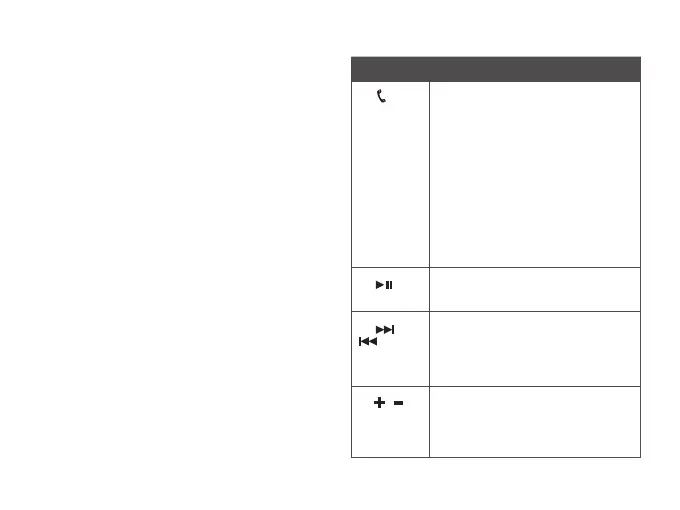
Button Function
1.
Multifunction
(Power /
Pair / Call)
Power: Press and hold for 2 seconds to
power on the headset. Press and hold for
3 seconds to power off the headset.
Pair: In off mode, press and hold for more
than 5 seconds to activate Pairing mode.
Call: Press and hold for 1 second to
activate voice dial. Press and hold for 2
seconds to redial the last called number
when no call is in progress. Press and
release to answer or end an incoming
call. Press and hold for 2 seconds to
reject a call during an incoming call.
Press twice to accept a call waiting
and put on hold the ongoing call. Press
together with ‘+’ button and release to
initiate a three-way call.
2.
Play / Pause
Press to play. Press again to pause
playback.
3.
/
Next,
Forward /
Previous,
Backward
Press to change to the next or previous
track. Press and hold to scroll forward or
backward a track (device dependent).
4. /
Volume Up
/ Volume
Down
Press ‘+’ to increase or press ‘-’ to
decrease volume. A beep tone is emitted
at maximum volume level. Press and
release both ‘+’ and ‘-’ to mute or unmute
the microphone during a call.
List of button, indicator and connector / port functions












 To Next Page