FAQs 23
FAQs
This section covers questions you might have while using your product. For
further assistance, consult our self-help tool "Knowledge Base". Go to
www.creative.com, select your region and country, and then select
Support.
Why can’t I hear any sound from my headphones or speakers?
Check that
• your speaker system’s power is turned on.
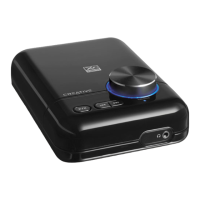
• your X-Fi Wireless Receiver is powered from the power adapter.
• the volume is not muted. Press the Mute button on your remote control
or the Volume control on your X-Fi Wireless Receiver to unmute.
• you have connected headphones or speakers to your X-Fi Wireless
Receiver.
• you have disconnected your headphones from your X-Fi Wireless
Receiver. This applies only if you want to hear sound from speakers.
Why can’t I hear much difference in sound after enabling
X-Fi Crystalizer?
X-Fi Crystalizer works most dramatically on sound with many high and low
frequencies. Some types of music have mostly mid-range frequencies, so
the change may not be as apparent.
Why do I hear stereo music only from my X-Fi Wireless Receiver?
Your X-Fi Wireless Receiver plays only stereo music. For multichannel
surround sound, use the Optical Out jack on your transmitter, if it has one.


 To Next Page