NOTE
• Creative Media Lite supports the transfer of copy-protected music. Other
software may not.
• Software and document updates, Creative Knowledge
Base
and
discussion
forums are also available for
you
at www.creative.com/zenstoneplus.
Navigate the Menu
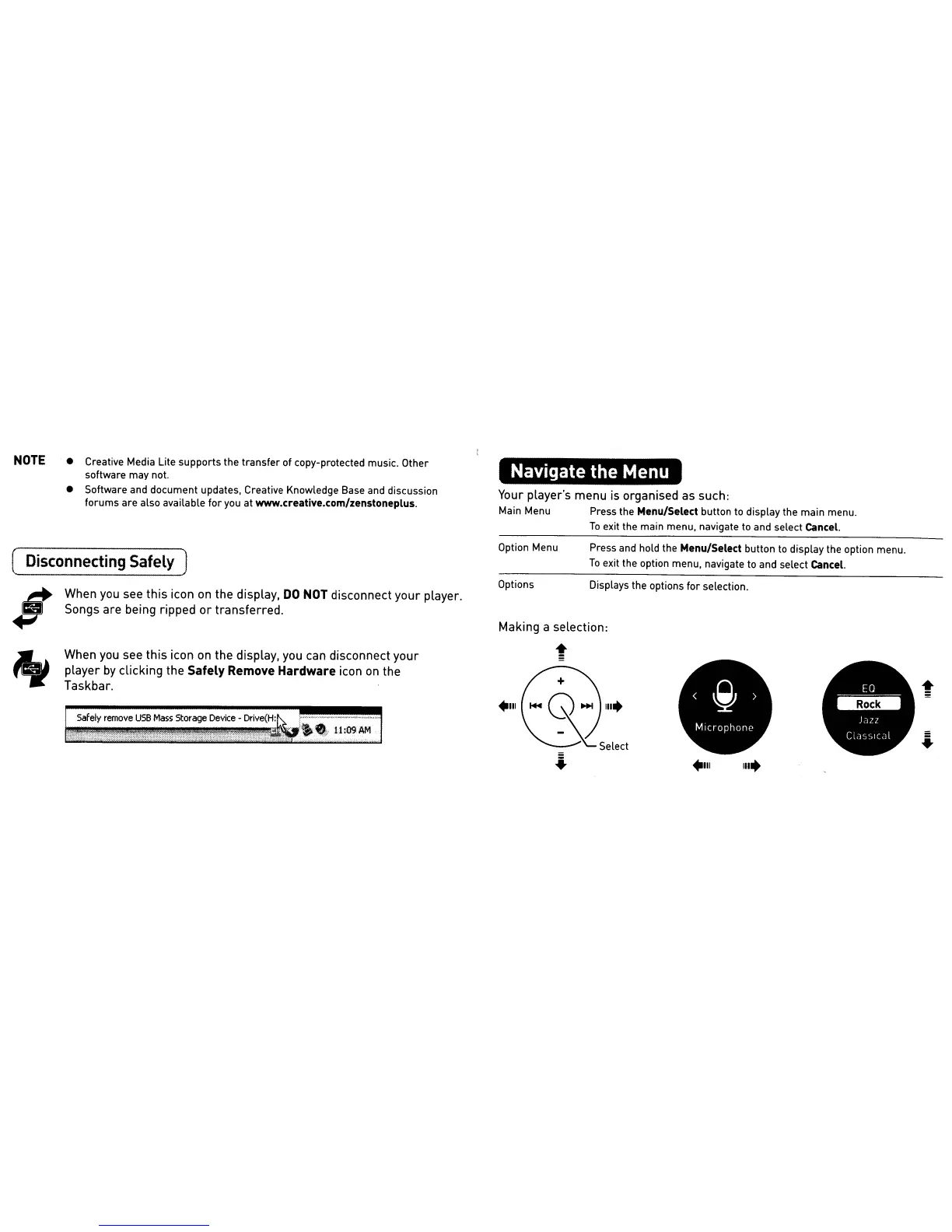
Your player's menu is organised as such:
Main Menu Press the Menu/Select button to display the main menu.
To
exit the main menu, navigate
to
and select Cancel.
When you see this icon
on
the display,
DO
NOT
disconnect
your
player.
Songs are being ripped
or
transferred.
Displays the options for selection.
Press
and
hold the Menu/Select button to display the option menu.
To
exit the option menu, navigate
to
and select Cancel.
Making a selection:
t
Option Menu
Options
When you see this icon
on
the display, you can disconnect your
player
by
clicking the Safely Remove Hardware icon
on
the
Taskbar.
( Disconnecting Safely J
$
"











 To Next Page