2 Using the 5-Way Navigation Joystick
Using the 5-Way Navigation Joystick
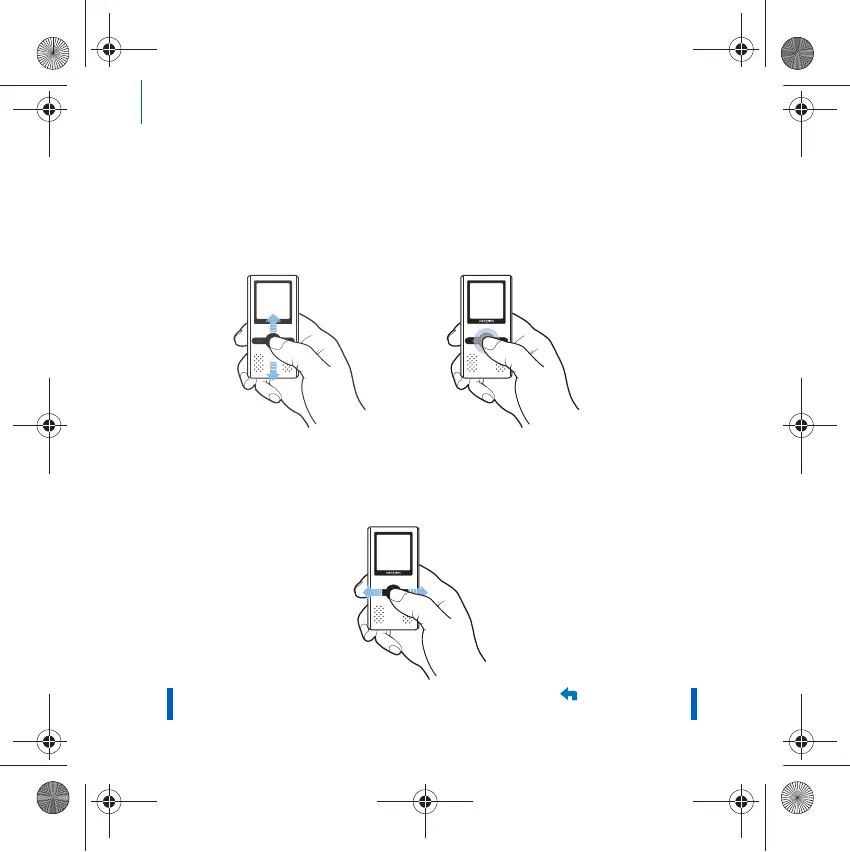
The 5-way Navigation Joystick is one of the most important features of your
player. In this document, we will use the term "Select" to mean that you
should push the 5-way Navigation Joystick up or down to browse through
options, and then select the option by pressing down the 5-way Navigation
Joystick.
When playing music, you can do the following:
■ push the joystick up or down to increase or decrease the volume.
■ push the joystick left or right to go to the previous or next track.
■ push and hold the joystick right or left to move forward or
backward within a track.
NOTE At any time, press and hold the Back/Options
button for more
options.
Zen Wav_CLA-CS.fm Page 2 Thursday, April 5, 2007 2:48 PM













 To Next Page