Disconnect Your Player 7
Step 5: Disconnect Your Player
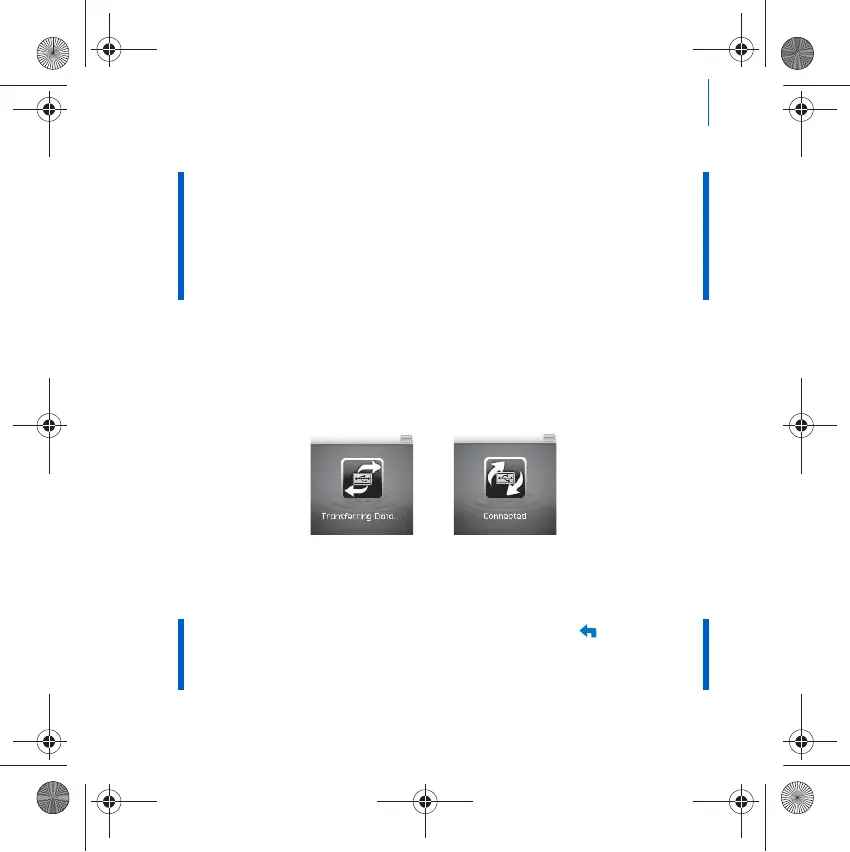
DO NOT disconnect your player if you see the left picture below on the
display. Track or data file transfer is in progress and disconnecting your
player may damage the content being transferred. When you see the right
picture below on the display, disconnect your player.
Step 6: Play Media Files or View Pictures
You are now ready to play or view files.
NOTE ■ Use Creative Media Explorer or Windows Media Player 10 (and
above) to transfer files protected by Digital Rights Management
(DRM) technology.
■ All video formats require conversion before they can be played on
your ZEN Wav. Use Creative Media Explorer only to convert your
videos. Note that if you choose to skip a video file, it will not be
transferred to your player. Your player can only transfer videos
not exceeding 2GB.
NOTE
■ At any time, press and hold the Back/Options button for more
options.
■ Files in your player are sorted alphabetically for quicker
searches.
Zen Wav_CLA-CS.fm Page 7 Thursday, April 5, 2007 2:48 PM













 To Next Page