4.1
Returning to standby and Powering ON the D5x with active Links
Section 4 : Other speaker features
Returning to Standby
TheLinkedspeakerscanbebroughttoStandbyinunisonbypressingthePowerON/Standby
ButtonlocatedattherearoftheRIGHTMasterspeaker.
Powering ON with active links
TheLinkedspeakercanbePoweredONwithactivelinkstoeachotherbypressingthePower
ON/StandbyButtonoftheRIGHTMasterspeakerwiththemainspoweredONonalltheother
speakers.*
*PoweringONwithactivelinkscanonlybedoneontheMasterspeakerastheslavespeakersarelisteningtoinstructions
fromtheMasterspeaker,eveninstandby.
Disabling the LINK for individual D5x operation
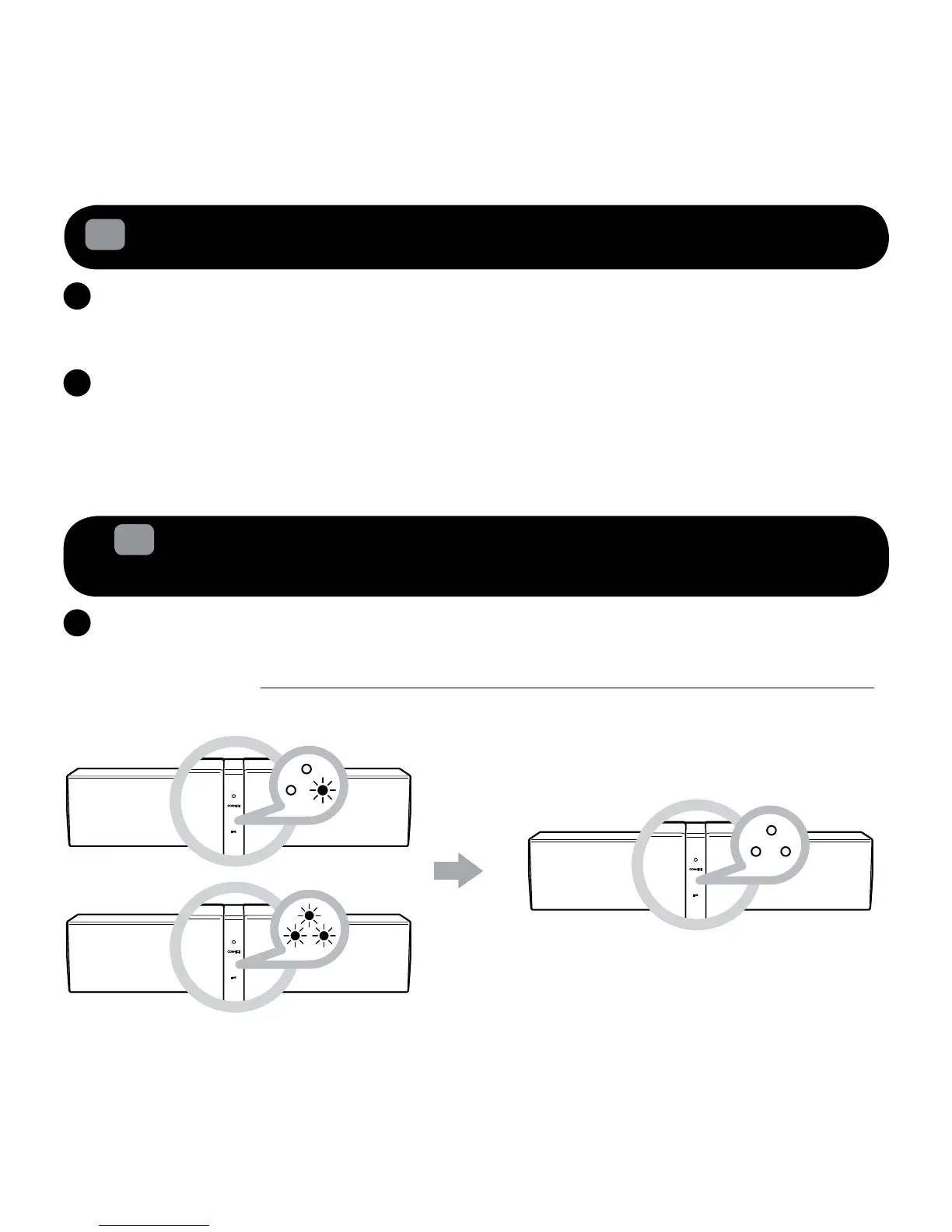
YoucandisabletheLINKconnectiontoallthelinkedspeakersbysimplypressingtheLINK
Touchpad/ButtononceontheRIGHTMasterspeaker.ThiswillbringdowntheLINKandrestore
the functions of the Volumecontrol,AUX-IN,CONNECTTouchpadandVolumeTouchpad/Button,
whichlockedinlinkmode,backtoeachindividualD5x.Onceactivated,thereisnoLEDindication
ontheLINKLEDstatusindicatorforallD5x.
4.2
Disabling / Restoring the link system for Standalone/ Linked
speaker
usage
(only for 2.0 and above setup)










 To Next Page