94
Installation and Maintenance
Service Manual
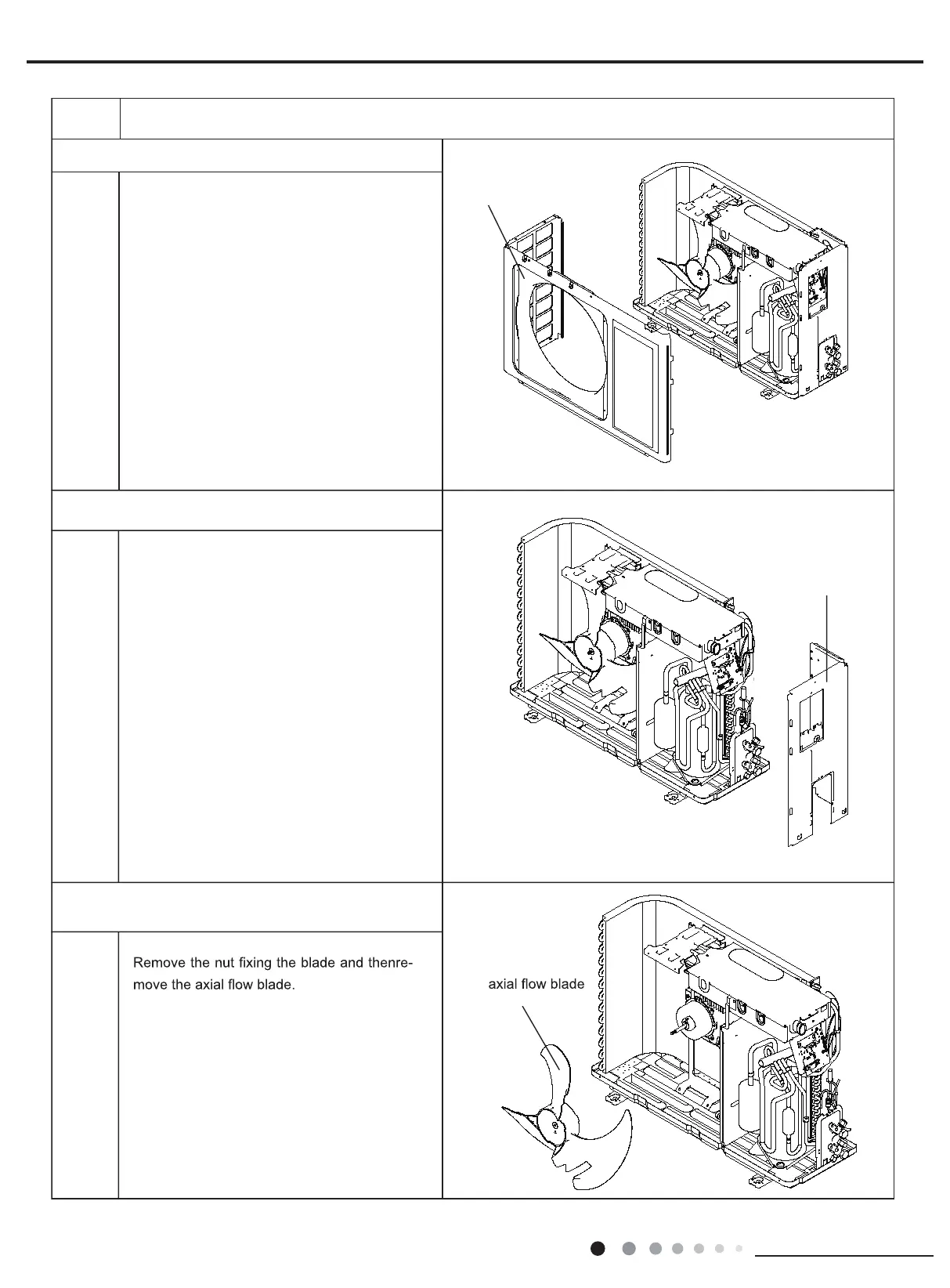
4.Remove front panel
5.Remove right side plate
6.Remove axial flow blade
ProcedureSteps
Remove connection screws connecting the
front panel with the chassis and the motor
support, and then remove the front panel.
Remove connection screws connecting the
right side plate with the valve support and
the electric box. Then remove the right side
plate.
front panel
right side plate



 To Next Page