2 of 3
LPN00219X0001A2_A
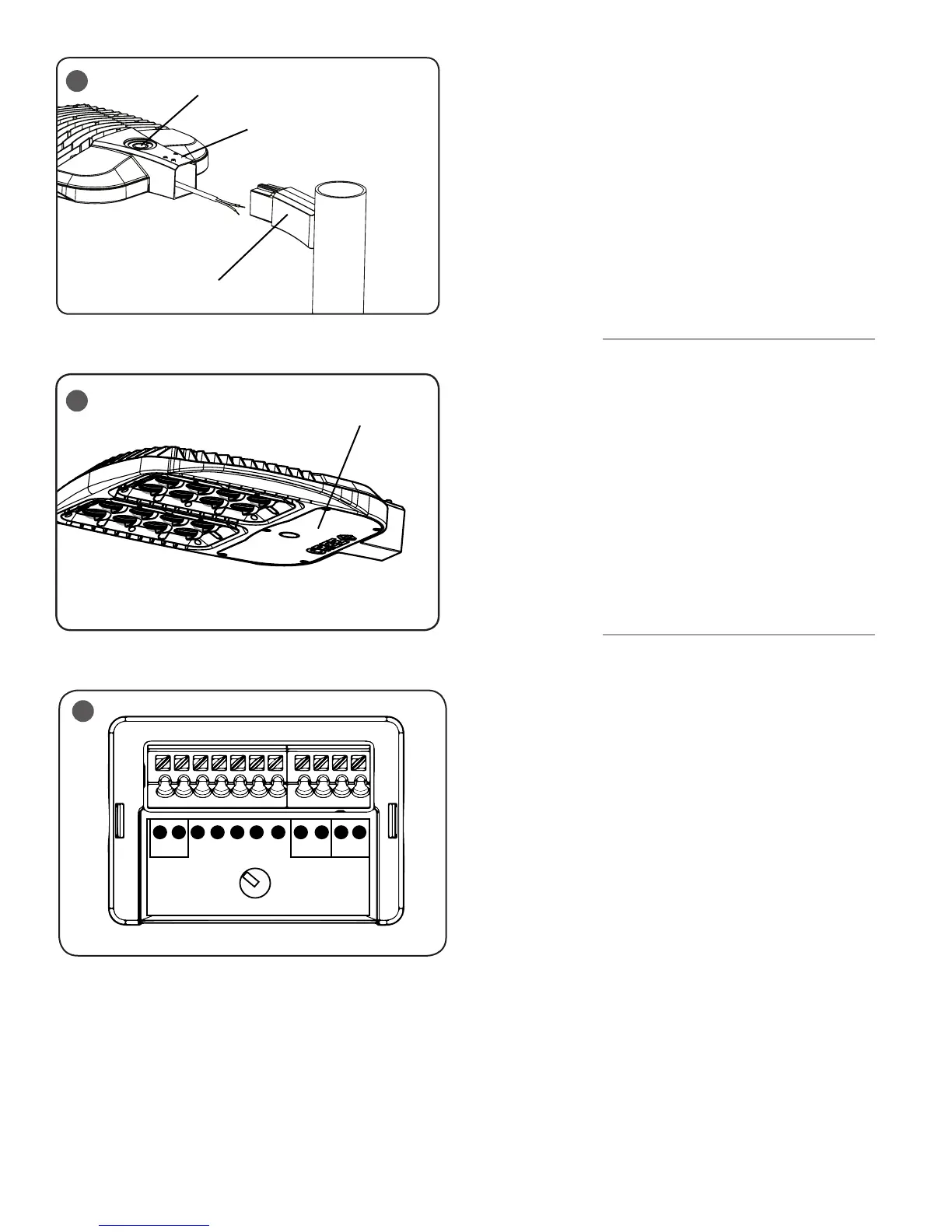
STEP 7:
Route the cord coming from the fixture head through
the Pole Mount Adaptor and then through the pole.
See Figure 3.
STEP 8:
Slide the mounting arm of the luminaire over the
Pole Mount Adaptor as shown in Figure 3.
STEP 9:
Tighten (4) 3/8-16 socket head set screws located on
the top of the mounting arm to
85 in-lbs (9.6 N•m). See Figure 3.
STEP 10:
See the Electrical Connections section for wiring
instructions.
NEMA
®
RECEPTACLE (OPTIONAL)
STEP 1:
DO NOT loosen/tighten pan head screws for the
NEMA receptacle.
STEP 2:
Rotational adjustment of the photo control is tool-
less.
STEP 3:
Engage/install photo control into NEMA receptacle
on top of the fixture.
STEP 4:
Firmly rotate photo-control with its photo-eye
approximately in the ‘N’ north direction. Some
photo-controls operate best somewhere between
NW and NE.
FIELD ADJUSTABLE DIMMING - (OPTIONAL)
NOTE: This luminaire may be provided with field
adjustable dimming. If so, luminaires leave the
factory adjusted to the maximum setting specified
when ordered. Visit www.cree.com/Lighting/
Document-Library for product dimming spec sheet.
STEP 1:
The Dimming module is located inside the luminaire.
Open the luminaire door cover by loosening the (5)
screws. See Figure 4.
STEP 2:
Establish the desired input power multiplier by
referring to the product dimming spec sheet and turn
the switch to the correlating position
STEP 3:
Adjust the Dimming Module, see Figure 5, to the
selected position and reinstall the cover ensuring no
wires are pinched.
DRV
DRV CRTL
1 2 3 4 5
9
1
2
3
4
5
6
7
8
5
3
Socket Head Screws
Pole Mount Adapter
Luminaire Cover Door
4
DO NOT remove knockout


 To Next Page
 Loading...