OSQ Series
LED Area Light
Direct Pole Mount
1 of 3
LPN00219X0001A2_A
INSTALLATION INSTRUCTIONS
INSTRUCTIONS D’INSTALLATION
IMPORTANT SAFEGUARDS
When using electrical equipment, basic safety precautions
should always be followed including the following:
READ AND FOLLOW ALL SAFETY
INSTRUCTIONS
1. DANGER- Risk of shock- Disconnect power before
installation.
DANGER – Risque de choc – Couper l’alimentation avant
l’installation.
2. This luminaire must be installed in accordance with the
NEC or your local electrical code. If you are not familiar
with these codes and requirements, consult a qualied
electrician.
Ce produit doit être installé conformément à NEC ou votre
code électrique local. Si vous n’êtes pas familier avec ces
codes et ces exigences, veuillez contacter un électricien
qualié.
SAVE THESE INSTRUCTIONS FOR
FUTURE REFERENCE
DIRECT POLE MOUNT
NOTE: Access to Components Compartment is not
necessary for installation. To access the Components
Compartment, loosen (5) self-retaining screws on the
luminaire Cover Door. See Figure 4.
STEP 1:
Verify that there is access from top of the pole.
STEP 2:
Use dimensions on template shown on the back page
for drilling if pole is not pre-drilled. (Template is not to
scale.)
STEP 3:
From top of the pole insert Backing Plate with pre-
assembled top bolt through the top mounting hole of
the pole. See Figure 1.
STEP 4:
Remove any extra gaskets plugs from the foam gasket
and place gasket over bolt extending from pole. See
Figure 1.
STEP 5:
Place the top hole of the Pole Mount Adapter over
the top bolt from the pole and secure from inside the
adapter with supplied 5/16" hex nut. See Figure 1.
STEP 6:
Install remaining bolt with star washer inside the pole
through the bottom hole of the Backing Plate and
thread into the Pole Mount Adapter. Torque the 5/16"
hex nut and bolt to 132 in-lbs (15 N-m). See Figure 2.
TO INSTALL:
1
2
Pole Mount Adapter
Backing
Plate
5/16” Hex Nut
Foam Gasket
Pole
Pole Mount Adapter
Backing Plate
Pole
NOTES:
• DO NOT remove the knock out on the top of the luminaire (See
Figure 3 on page 2). If a NEMA or photocontrol is desired customer
must order OSQ luminaire with factory installed NEMA Photocell
Receptacle (R option). NEMA photocell receptacle or photo control’s
are not field installable.
• Use a ½" socket with a minimum 9" extension to reach all the way thru
the arm to fasten the nut.
• A 3/16" Allen screw driver is needed to tighten the set screws.
• Compatible with 3.0" or larger round or square poles.

 Need help?
 General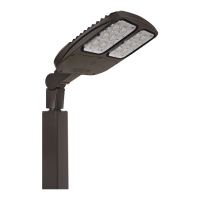

 To Next Page