주목해야
주목해야주목해야
주목해야 할
할할
할 점은
점은점은
점은 앰프의
앰프의앰프의
앰프의 출력은
출력은출력은
출력은 볼륨
볼륨볼륨
볼륨 세팅
세팅세팅
세팅 값과
값과값과
값과 입력
입력입력
입력 신호의
신호의신호의
신호의 크기
크기크기
크기, 두
두두
두 가지
가지가지
가지 변수
변수변수
변수에
에에
에 의해서
의해서의해서
의해서
결정된다는
결정된다는결정된다는
결정된다는 것입니다
것입니다것입니다
것입니다. 입력소스의 신호가 작으면 볼륨을 올려야 같은 소리 크기를 얻을 수
있습니다. 반대로 입력소스의 신호가 너무 크면 볼륨을 낮추어야 할 것입니다. 볼륨을 0 까지
낮추어야 하더라도 걱정 마십시오. 입력 소스의 신호 세기가 크다 하더라도 반드시 앰프에 부하가
더 걸리는 것이 아니기 때문입니다.
It is important to note that the power output of the amplifier is the product of both the volume setting AND the
input signal level from the source equipment. Sources with a lower output signal will require a higher volume
setting to reach the same loudness. Do not be worried if you find the volume is approaching 0dB to achieve
the required listening level, it does not necessarily mean the amplifier is working harder or delivering its full
capability.
마지막
마지막마지막
마지막 볼륨
볼륨볼륨
볼륨 세팅
세팅세팅
세팅 값
값값
값은
은은
은 전원이
전원이전원이
전원이 꺼지더라도
꺼지더라도꺼지더라도
꺼지더라도 기억됩니다
기억됩니다기억됩니다
기억됩니다. 그러나 다시 전원을 켰을 경우 갑작스런
고음으로 인한 불쾌감을 방지하기 위해서, 시동 볼륨은 -20 을 넘지 않도록 설계되어 있습니다.
만약 마지막 시청한 볼륨 값이 -20 을 초과할 경우라도 다시 전원을 켜면 -20 으로 낮추어 집니다.
The volume setting is remembered during power off but when the amplifier is turned back on, the value will
be limited to a maximum -20dB to prevent unexpected loud sounds from being produced.
Page:
MENU 버튼
버튼버튼
버튼은
은은
은 고객의
고객의고객의
고객의 취향에
취향에취향에
취향에 맞추어
맞추어맞추어
맞추어 환경을
환경을환경을
환경을 설정할
설정할설정할
설정할 수
수수
수 있도록
있도록있도록
있도록 몇
몇몇
몇 가지
가지가지
가지 옵션을
옵션을옵션을
옵션을 제공합니다
제공합니다제공합니다
제공합니다.
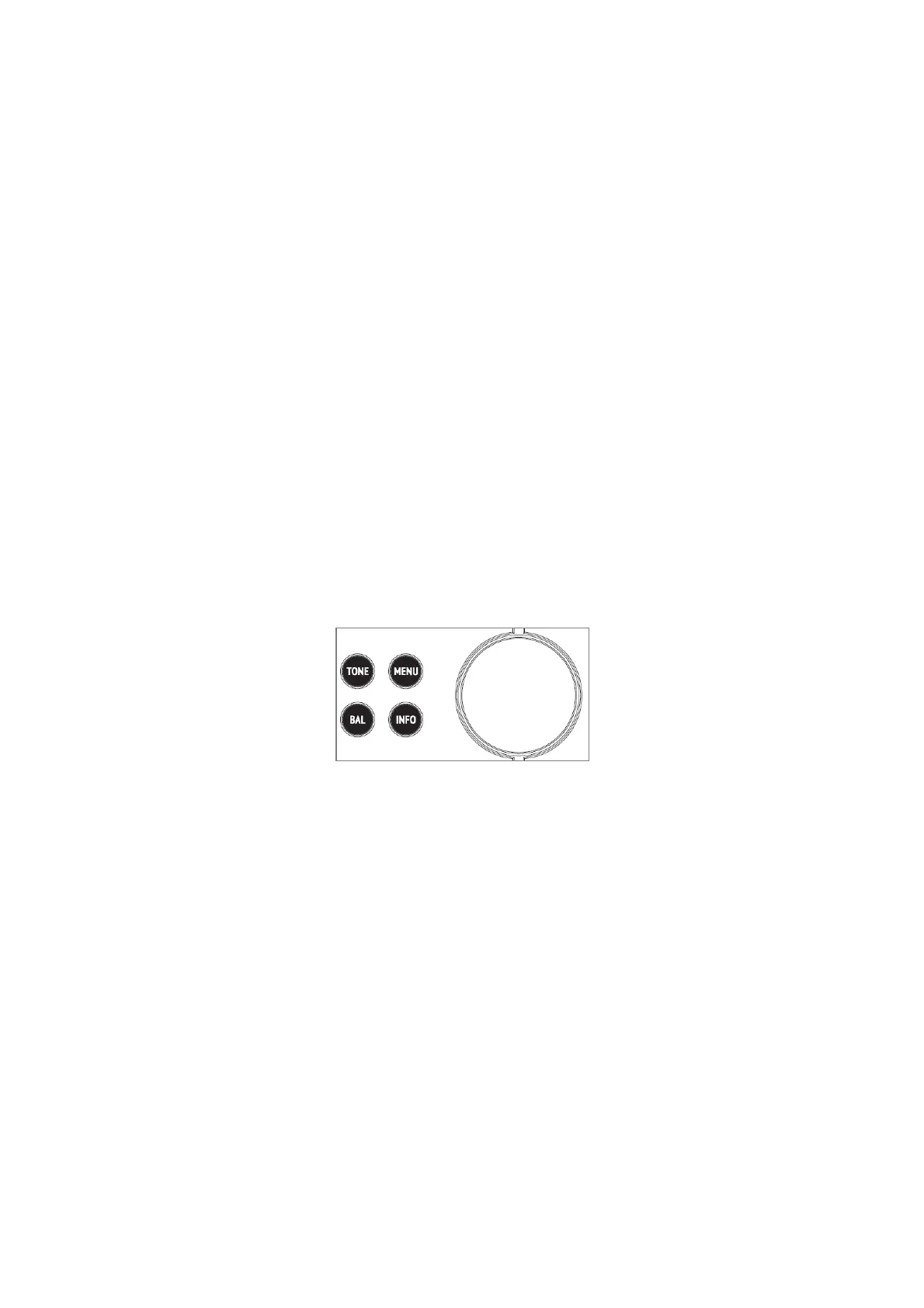
메뉴버튼을 누르면 3 가지 옵션이 나타나는데 왼쪽 노브를 돌려서 원하는 것을 선택할 수
있습니다. 좌측 회전 노브를 누르면 해당 옵션의 더 상세한 사항을 선택할 수 있습니다. 선택지는
다음과 같습니다.
The MENU button offers some set-up options to tailor the operation of the EVOLUTION 100A to your
preference. Pressing this button will reveal 3 options which can be highlighted using the left-hand rotary
control. Depressing the rotary control will select the highlighted option to reveal further options. The options
tree looks as follows:
표시창
표시창표시창
표시창 세팅
세팅세팅
세팅 Display Settings -
항상
항상항상
항상 켜짐
켜짐켜짐
켜짐 Always On
The OLED display will be lit at all times the product is operating
자동으로
자동으로자동으로
자동으로 꺼짐
꺼짐꺼짐
꺼짐 Auto Off
The OLED display will go out after a short delay
표시창
표시창표시창
표시창 밝기
밝기밝기
밝기 조절
조절조절
조절 Display Brightness -
⑩




 To Next Page