Instructions
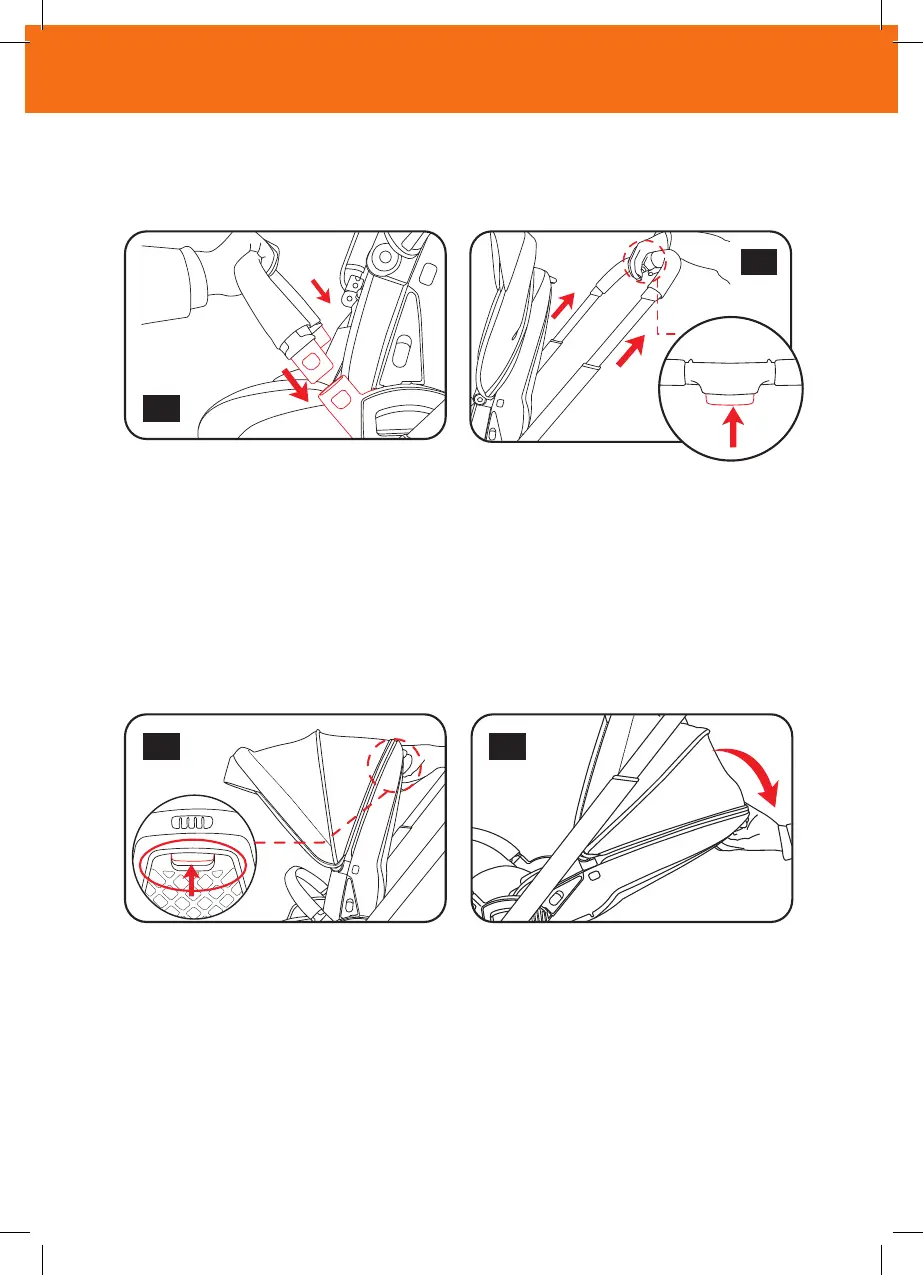
●Put the bumper bar into slot (Figure 5).
●Clench press button on the handle bar to adjust the length of handle
bar (Figure 6).
Adjusting the backrest
●Pull up the backrest button to adjust (Figure 1,2)
5
2
1
6
5
Instructions
●Put the bumper bar into slot (Figure 5).
●Clench press button on the handle bar to adjust the length of handle
bar (Figure 6).
Adjusting the backrest
●Pull up the backrest button to adjust (Figure 1,2)
5
2
1
instructions
• Put the bumper bar into slot (Figure 5).
• Clench press button on the handle bar to adjust the length of handle bar (Figure 6).
Adjusting the backrest
• Pull up the backrest button to adjust (Figure 1,2)



 To Next Page