Ethernet OEM Module Crestron eServer™
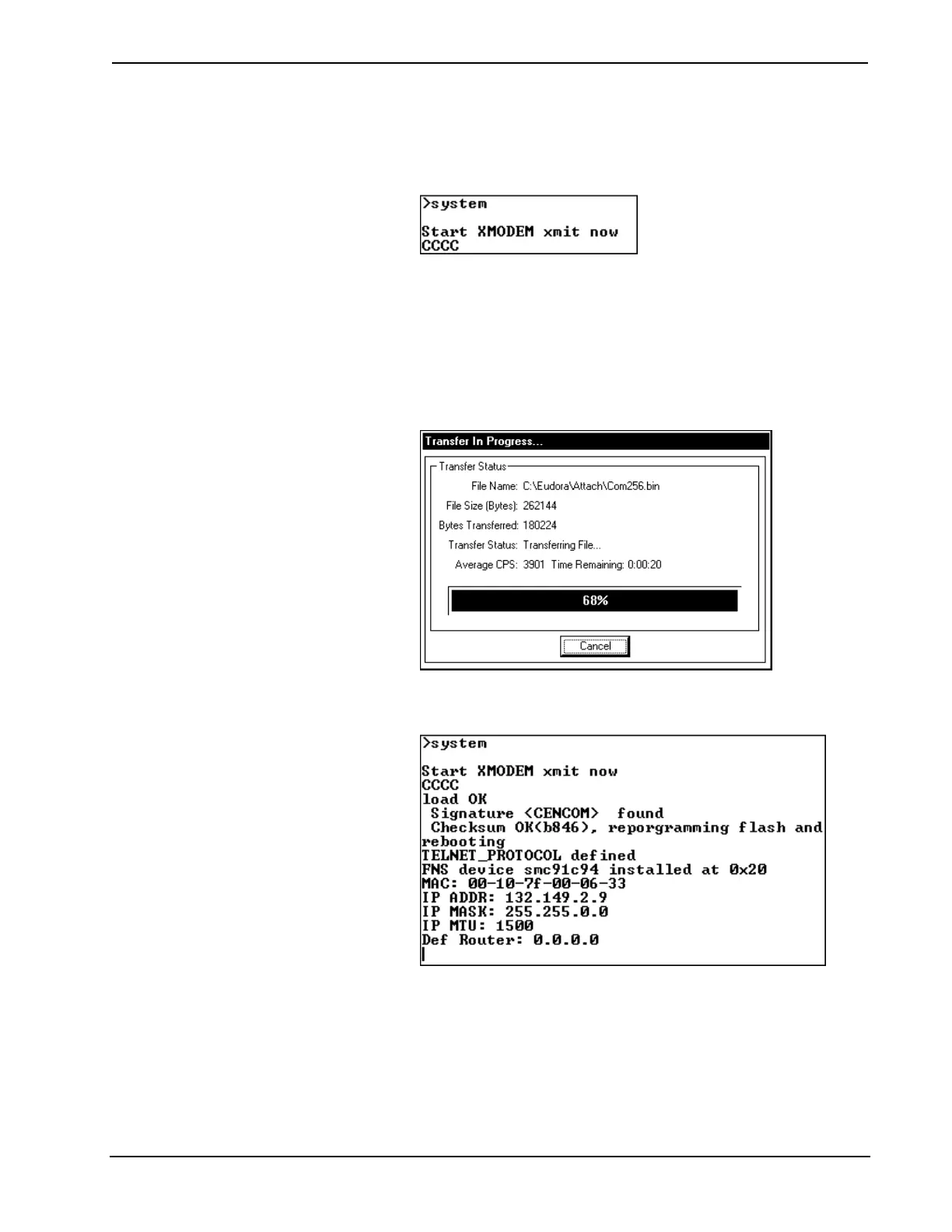
1 Type system and depress ENTER.
2 Viewport responds with “Start XMODEM xmit now” on one line and
proceeds to display one “C” after another.
3 While the Cs are appearing, select General File Transfer |
XModem1K Upload from the File Transfer command.
4 From the “Open” window, browse and highlight the upload file. Click
on OK.
5 The “Transfer In Progress” window appears while the transfer is in
progress.
“Transfer In Progress” Window
6 When the transfer is complete, the eServer reboots. Depress ENTER to
re-establish communications with the eServer.
prepare
The “prepare” command must be issued before the "system" command. It prepares
the system prior to a firmware upgrade.
18 • Ethernet OEM Module: eServer™ Operations Guide - DOC. 8148



 To Next Page