9
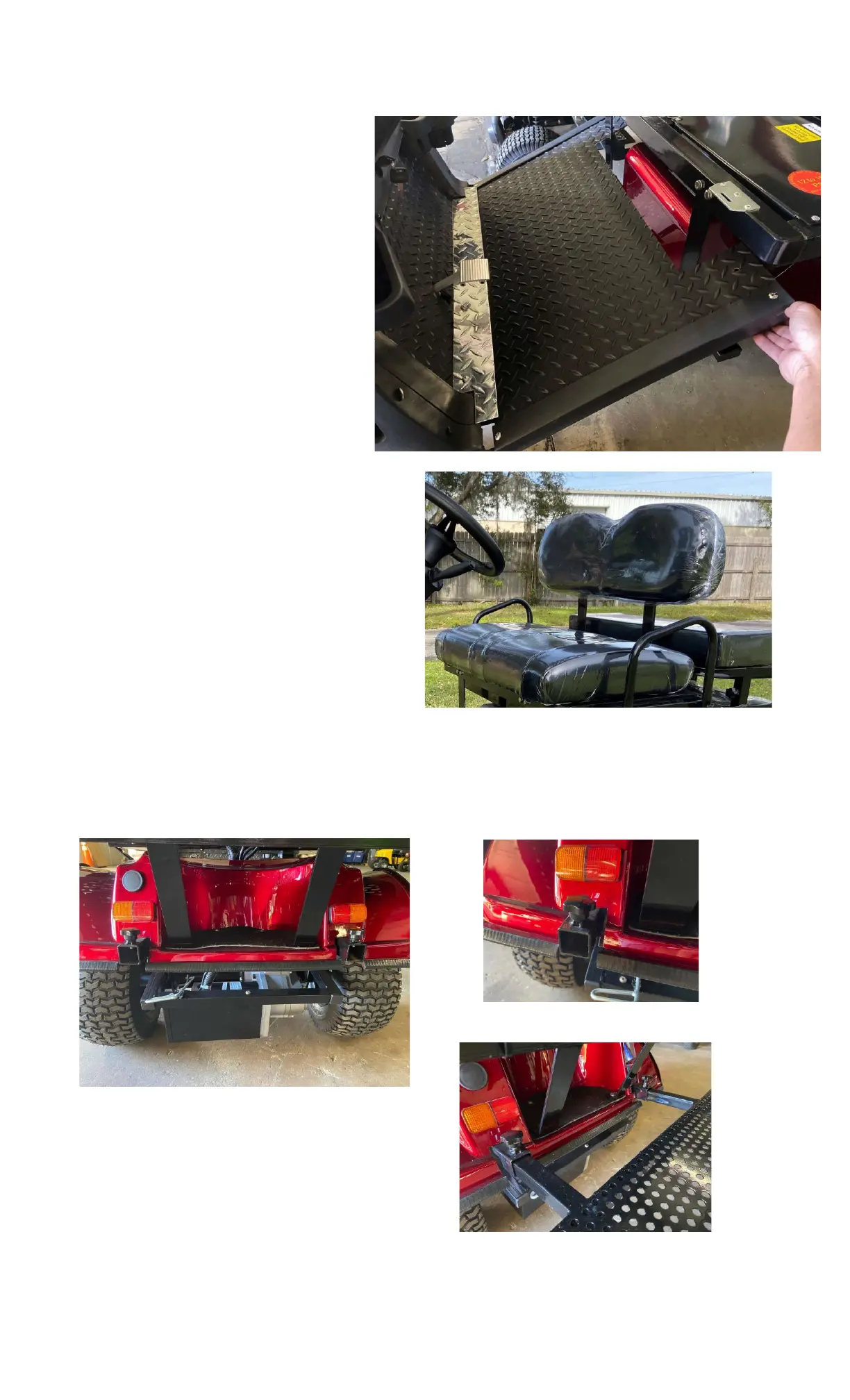
3.5. Slide the floorboard extension
underneath the stainless-steel flash
plate of the permanent floorboard
assembly. (Fig 3.5.1)
3.6. Make sure both sides of the
floorboard extension are lined up and
securely fitted underneath the front
stainless-steel flash plate and into the
black plastic tabs on the front body.
3.7. Install but do not tighten one of the
floorboard knobs located on the
chassis under the front seat, then
install the second knob. You may
need to slightly move the floorboard
in order to line up with the threaded
holes for the knobs. Once both knobs
are installed tighten them down to
secure the floorboard in place. Figure 3.5.1 RX5 Floorboard Installation
4. Install Front Seat Back Rest
4.1. Gently guide both seat back support arms into
the metal slots located behind the front seat.
Install the small knobs into the threaded
inserts on the rear of the metal slots to secure
the seat back.
5. Install Rear Passenger Step Plate
5.1. Loosen both locking nuts located below the
back seat and rear carrier rack. (Fig. 5.1.1)
Figure 4.1.1
5.2. Insert both step plate bars into the rear chassis frame tubing and gently guide both bars into the
tubes. Check that the step plate bars are all the way in and that the knobs are tightened securely. (Fig
5.2.1 and
5.2.2)
Figure 5.1.1
Figure 5.2.1
Figure 5.2.2



 To Next Page