10
CRICKET RX5 Control Functions
RX5 Controls
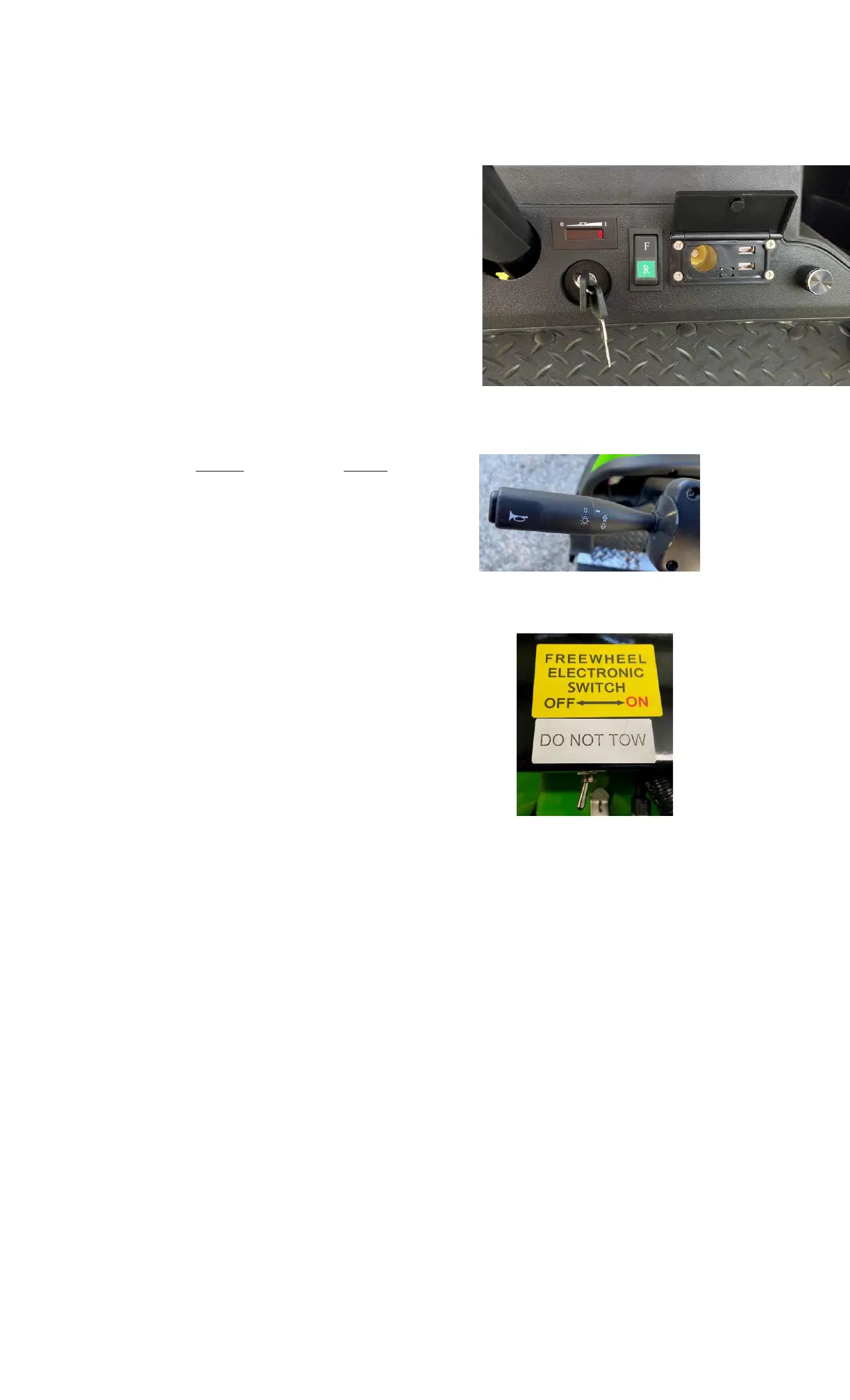
Key Switch Functions:
ON: One click of key clockwise activates power and
makes engine ready for operation. One more click
clockwise turns on the headlight and taillights.
OFF: With the key in the OFF position, all electrical
circuits are switched off. The key may now be removed.
Charge Meter:
CHARGE: "I" signifies full charge. "0" signifies no
charge.
RX5 Dash Panel
Directional Toggle Switch:
Up (F) for forward - Down (R) for reverse.
Rheostat Speed Control:
Use this knob to adjust the maximum speed of the cart.
Turn clockwise for full speed and turn
counterclockwise to limit the maximum speed.
Turn Signal / Head Lights:
RX5 Turn Signal Lever
The turn signals are activated with the level on the steering
shaft. To turn on the head lights twist the knob on the turn
signal lever.
Freewheel Electronic Switch:
Located under the front seat use this switch to disengage the
brake. Under normal operation this switch is “OFF”. NOTE:
When this switch is in the “ON” Position the CRICKET will
not drive.
Entering the Vehicle RX5 Freewheel Electronic Switch
All passengers (including driver) must always be seated while the CRICKET vehicle is in use.
Turning the Vehicle On
Switch the key switch to the “On” Position and select the desired direction (Forward or Reverse).
Driving the Vehicle
After making the desired directional selection, depress the floorboard-mounted accelerator pedal with
your right foot to engage the vehicle's power train. Always be aware of surrounding terrain and use
caution. Judge speed accordingly. Be cautious when encountering loose or wet terrain. Do not attempt
steep grades.
Stopping the Vehicle
Slow down by gradually lifting your right foot off the accelerator pedal. Once you reach zero forward
speed, the automatic electronic braking system turns your CRICKET off.
Turning the Vehicle Off
After taking your right foot completely from the accelerator pedal and automatically stopping the vehicle,
switch the key to the Off position.



 To Next Page