13
Replacing your CRICKET RX5 Batteries
NOTE: Batteries are hermetically sealed and require NO MAINTENANCE for the life of
the battery. No acid. No acid odor. No leakage
1. To remove battery cover, unhinge two latches at front of engine compartment (beneath the
front portion of the seat) and slowly, carefully slide the cover forward to reveal both
batteries.
2. Use 13mm wrench or pliers to turn bolts counterclockwise to loosen and remove batteries
with built-in, convenient rope handles. Use Caution not to “short” batteries with the
wrench when disconnecting or connecting the battery terminal leads.
3. Install new batteries by reversing procedure in step 1, above. (Replace and secure cover.)
Operating the Convertible Rear Passenger Seat
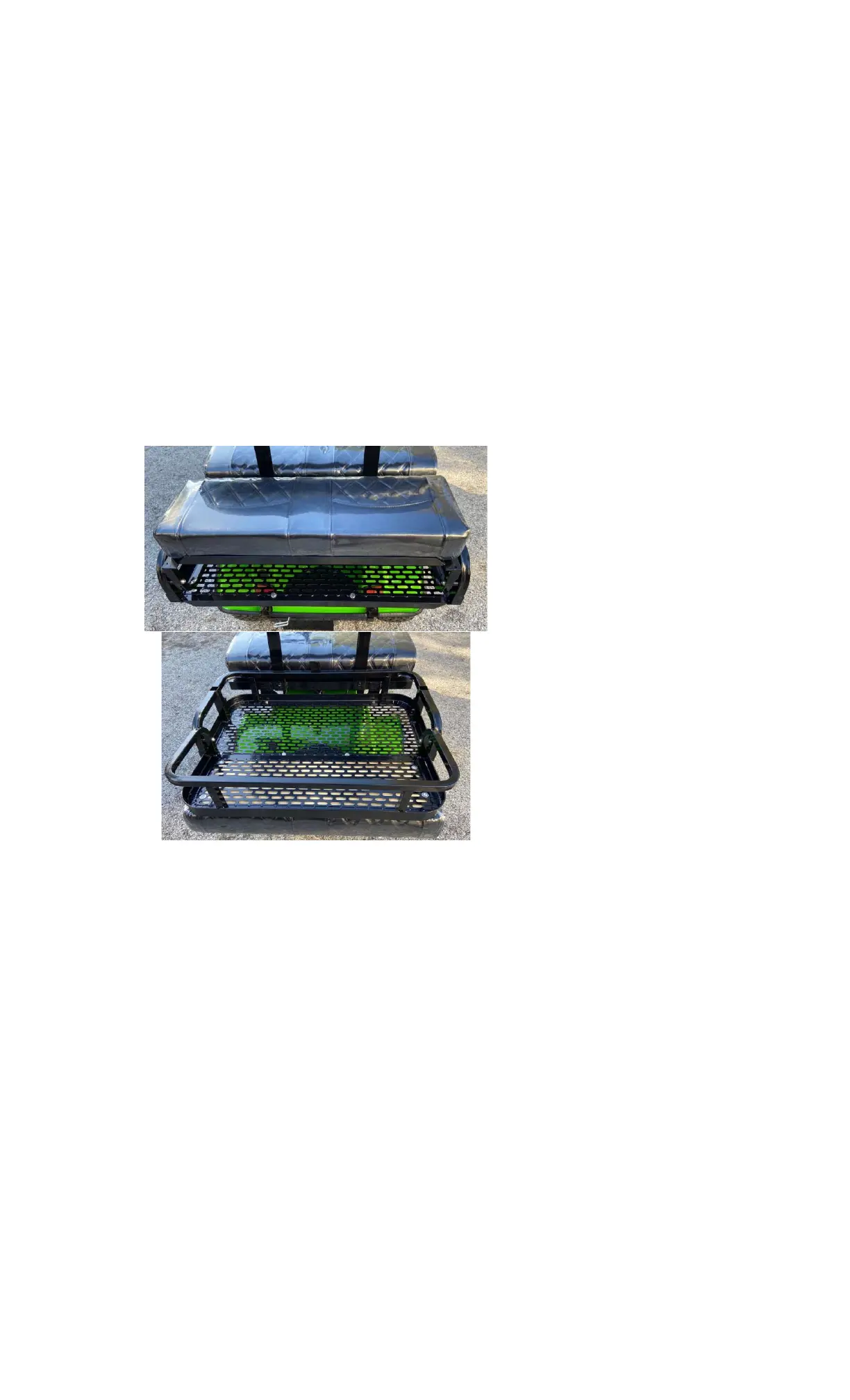
To convert your rear seat into the rear cargo carrier for a non-passenger load-carrying capacity,
simply grab the rear frame of the rear passenger seat and flip it toward the rear and down.
RX5 Rear Passenger Seat
RX5 Rear Cargo Carrier
Adjusting Chassis Rigidity for Heavy Loads or Rough Terrain
Your fully assembled RX5 is delivered with the chassis secured in a safe, yet somewhat
flexible chassis configuration--basically perfect for normal, everyday operating conditions.
If you should need to haul a heavier payload (up to 600 pounds maximum) or drive your SW3
over moderately rough terrain, you may elect to tighten the two under-chassis frame bolts
(shown here, to your right) to provide a more rigid, firmer ride.
1. Use a 17mm wrench (or an adjustable wrench) to turn nuts on both bolts clockwise
until they fit snugly---but not too tightly.



 To Next Page