Need help?
Do you have a question about the CrimeStopper SP-102 and is the answer not in the manual?
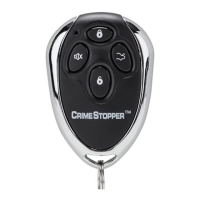
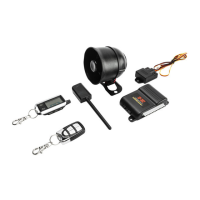
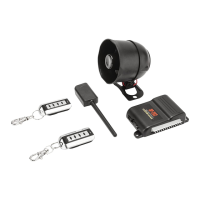
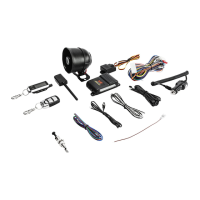
Provides an overview of the CrimeStopper Remote Security System and its manual.
Instructions on how to pair up to four remotes to the security system, including the pairing process.
Guide to replacing the batteries in the remote control, detailing the steps involved in opening and reassembling the remote.
Details on how to arm the security system and lock doors using the remote's LOCK/ARM button.
Instructions for disarming the security system and unlocking doors using the remote's UNLOCK button.
Procedure for silently arming the alarm system using the SILENT button on the remote.
Method to disarm the system silently after it has been armed using the SILENT button.
Explanation of the automatic arming feature that engages after ignition off and doors closed.
Description of the feature that automatically re-arms the system if no door is opened after disarming.
Procedure for disarming the system manually using the override button when the remote is lost or not working.
Steps to activate Valet Mode, disabling the alarm system while keeping keyless entry functional.
Steps to deactivate Valet Mode, restoring full alarm system functionality.
Description of the Active Carjack feature, activated by pressing UNLOCK button when ignition is ON.
Explanation of the Passive Carjack feature, activated by ignition ON and opening a door.
Details on the Full-time Carjack mode, activated every time the ignition is turned ON or a door is opened.
How the system indicates which trigger activated the alarm after disarming, using LED flash sequences.
Procedure to reset the alarm system after it has been triggered and disarmed.
Function of the shock sensor for light impacts, triggering a warning siren and light flash.
Function of the shock sensor for heavy impacts, triggering a full siren and multiple light flashes.
Details the one-year warranty period for all safety products.
Outlines the limited lifetime warranty for security and remote start modules and one-year for components.
Specifies warranty coverage for CrimeStopper products sold by authorized dealers in the USA.
Defines warranty coverage for the original purchaser from an authorized dealer.
Lists exclusions from warranty coverage, including damage from accident, abuse, or improper installation.
Addresses limitations on implied warranties, such as fitness for use and merchantability.
Provides contact information and procedure for obtaining warranty service, including RA# requirement.
 General
| Remote Start | No |
|---|---|
| Keyless Entry | Yes |
| Panic Mode | Yes |
| Two-Way Communication | No |
| Power Supply | 12V DC |
| Alarm Sound Level | 120 dB |
| Type | Car Alarm |
| Channels | 4 |

 To Next Page