Need help?
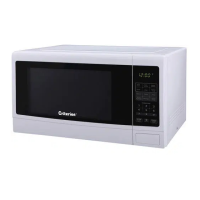
Do you have a question about the Criterion CCM11MC1B and is the answer not in the manual?
The mechanism that secures the door and interacts with safety shut-off features.
Ensures microwave energy is contained within the oven cavity.
The interior space where food is placed for cooking.
Illuminates the oven interior during operation.
Prevents the oven from operating when the door is open.
The interface for operating the microwave oven.
The button used to open the microwave oven door.
Protects the microwave outlet from food splashes.
Supports the glass tray and ensures smooth rotation.
Connects the motor to the glass tray for rotation.
A heat-resistant tray that rotates food for even cooking.
Allows visual monitoring of food inside the oven.
Shows cooking time, power level, indicators, and current time.
For cooking or reheating common food items automatically.
Cooks or reheats specific food quantities with a single button press.
For defrosting food by weight or time.
Used to set cooking time and the current time.
Adjusts the microwave cooking power level.
For setting the current time on the oven display.
Stops operation or clears entered data.
Starts cooking or adds 30-second increments.
Details the power levels and their corresponding percentage of microwave output.
Instructions for setting the 12-hour or 24-hour clock.
Using the oven as a timer when not in cooking mode.
Quickly reheats food for 30-second intervals at full power.
One-touch cooking for beverages like coffee or tea.
One-touch cooking for frozen pizzas of specific weights.
One-touch cooking for pre-packaged dinner plates of specified weights.
One-touch cooking for microwave popcorn bags of specified weights.
Auto cook option for bread.
Auto cook option for soup.
Auto cook option for baked potatoes.
Auto cook option for fresh vegetables.
Auto cook option for frozen vegetables.
Instructions for cleaning and maintaining the roller guide.
Guidelines for cleaning and using the glass cooking tray.
 General
| Style | Countertop |
|---|---|
| Color | Black |
| Total Capacity | 1 Cu. Ft. |
| Temperature Settings | - |
| Cooking Programms | Popcorn |
| Power Levels | 11 |
| Fan Speeds | - |
| Venting Type | - |
| Special Features | Multi-stage cooking |
| Accessories | - |
| Max Power Consumption | - |
| Microwave Power | 1000 W |
| Grill Power | - |
| Convection Power | - |
| Voltage | 120 V |
| Frequency | 60 Hz |
| Current | 15 A |
 Weight and Dimensions
| Depth | 15 in |
|---|---|
| Height | 12 in |
| Width | 20 |
| Net Weight | 25.8 lbs |

 To Next Page