18
Induction Cooktop Hob Use
Using Induction Cooktop Hob
USE ONLY COOKWARE DESIGNED FOR OR COMPATIBLE WITH INDUCTION COOKTOP USE.
COOKTOP WILL NOT FUNCTION WITH OTHER COOKWARE NOT DESIGNED FOR INDUCTION
COOKTOP.
1. Place a suitable pan on the cooking zone that you wish to use. Make sure the bottom of the pan
and the surface of the cooking zone are clean and dry.
2. Select the heating zone you wish to use and turn the control knob clockwise. The relevant
indicator on the hob for that zone will show the power level selected.
3. Adjust the power level up /down by turning the control knob clockwise/anti-clockwise. The power
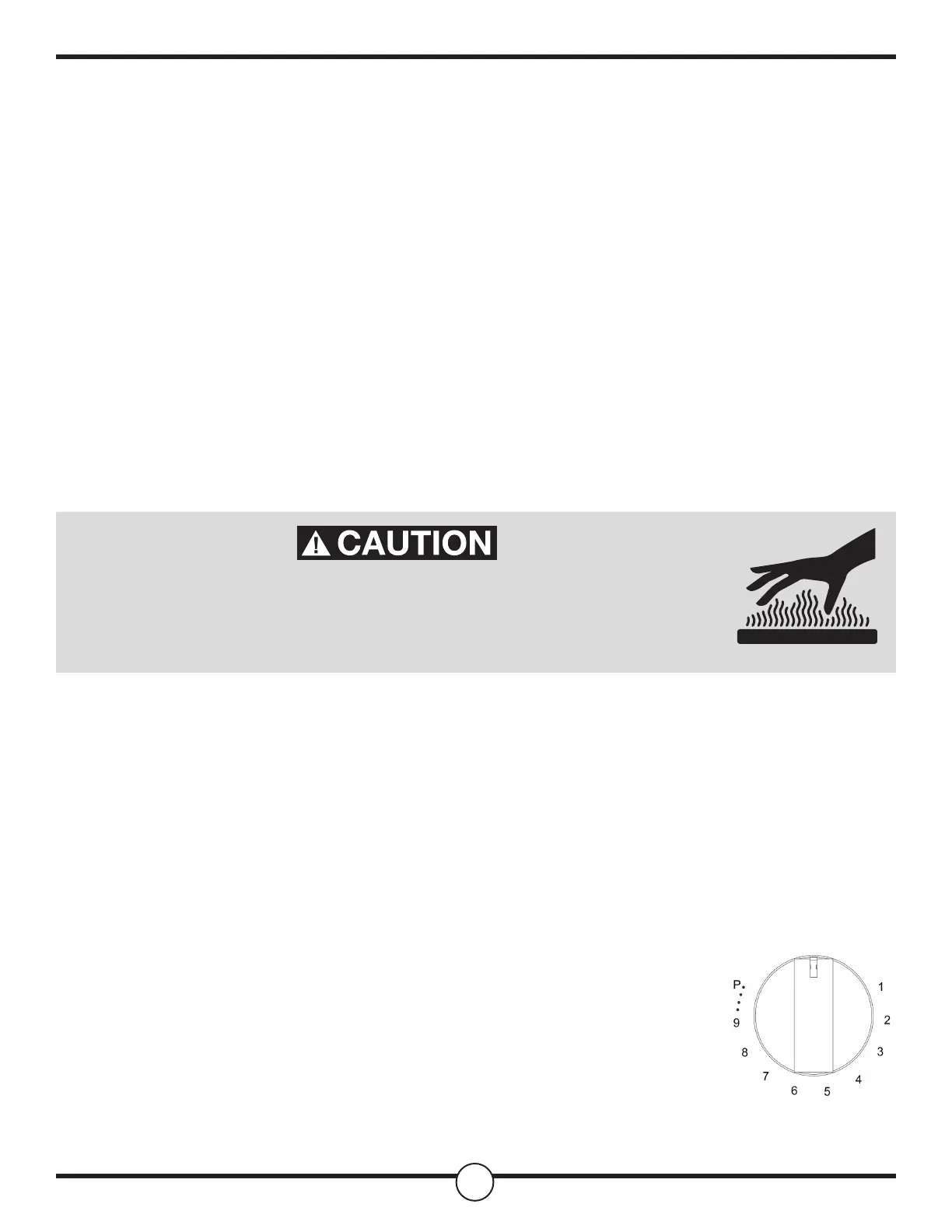
levels range from 1-9 as well as keep warm (L1 & L2) and Boost (P) settings. You can modify the
power level at any time.
Beware of Hot Surfaces!
When ' H ' is displayed the cooking zone is too hot to touch. It will disappear when the surface has
cooled down to a safe temperature. It can also be used as an energy saving function if you want to
heat further pans, use the hotplate that is still hot.
Using the Boost Function
This oven is equipped with a power boost function that expedites the heating of the cooking zone.
Activating the Boost Function
1. Adjust the power for the relevant zone to level 9 by turning the control knob
clockwise.
2. Turn the control knob clockwise briey to position 'P'. Allow the control
knob to spring back to position '9' and the indicator on the hob will show 'P'.
Canceling the Boost Function
1. Turn the relevant control knob anti-clockwise to the o '•' position, then clockwise to the chosen
power level.
BEWARE OF HOT SURFACES ON COOKTOP. TOUCHING
COOKTOP SURFACE WHILE STILL HOT WILL CAUSE BURNS
AND/OR SERIOUS INJURY


 To Next Page
 Loading...