Need help?
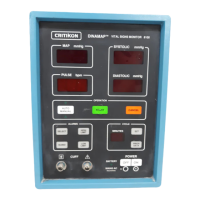
Do you have a question about the Critikon DINAMAP PRO 1000 and is the answer not in the manual?
Procedure for unpacking the monitor and preparing it for initial installation.
Steps to set the system date and time on the PRO 1000 monitor.
Performing functional tests on individual parameters after initial setup.
Maintenance tasks performed as needed: integrity checks, cleaning, and long-term storage.
Scheduled maintenance tests performed annually.
Conditioning a new NiMH battery for optimal performance.
Guidelines and procedures for charging the monitor's storage battery.
Testing continuity between the AC mains ground and external DC connector ground.
Evaluating electrical leakage from AC mains under normal and reverse polarity.
Interpreting error codes related to system-wide failures.
Understanding error codes indicating internal hardware malfunctions.
Interpreting error codes for specific parameter failures (ECG, NIBP, Temp, SpO2).
Performing diagnostic tests for the SpO2 parameter in service mode.
Conducting diagnostic tests for NIBP: Leak, Calibration, Overpressure.
Performing diagnostic tests for the ECG parameter.
Conducting diagnostic tests for the temperature parameter.
Testing the printer functionality of the monitor.
Monitoring and testing the status of the monitor's battery.
Testing the system's failsafe logic and freezing behavior.
Verifying the illumination of keypad LEDs on the monitor.
Verifying the functionality of keypad keys.
Testing the monitor's sound output capabilities.
Procedure for safely powering down the monitor from service mode.
 General
| Category | Medical Equipment |
|---|---|
| Type | Vital Signs Monitor |
| Model | DINAMAP PRO 1000 |
| Manufacturer | Critikon |
| Measurement Parameters | NIBP, SpO2, Pulse Rate |
| NIBP Technology | Oscillometric |
| Display | LCD |
| Power Source | Battery |
| Connectivity | RS-232 |


 To Next Page