12 www.CrockPot.com
Crock-Pot
®
| Hook Up™ Connectable Entertaining System
For use with multiple units:
The Crock-Pot
®
Hook Up™ Connectable Entertaining System has a unique
Patent Pending electrical connector that will only allow units in the Hook Up™
system to be able to connect and draw power from each other.
NOTE: To prevent damage or shock hazards, DO NOT alter the units in
anyway to allow other appliances to be able to connect to it.
1. Select the unit you would like to be plugged into the wall outlet
(Unit A). Press down on the red Cord-Release Latch on the
right-hand side of that unit.
2. Pull out the Retractable Power Cord for Unit A and plug the cord
into a standard electrical outlet.
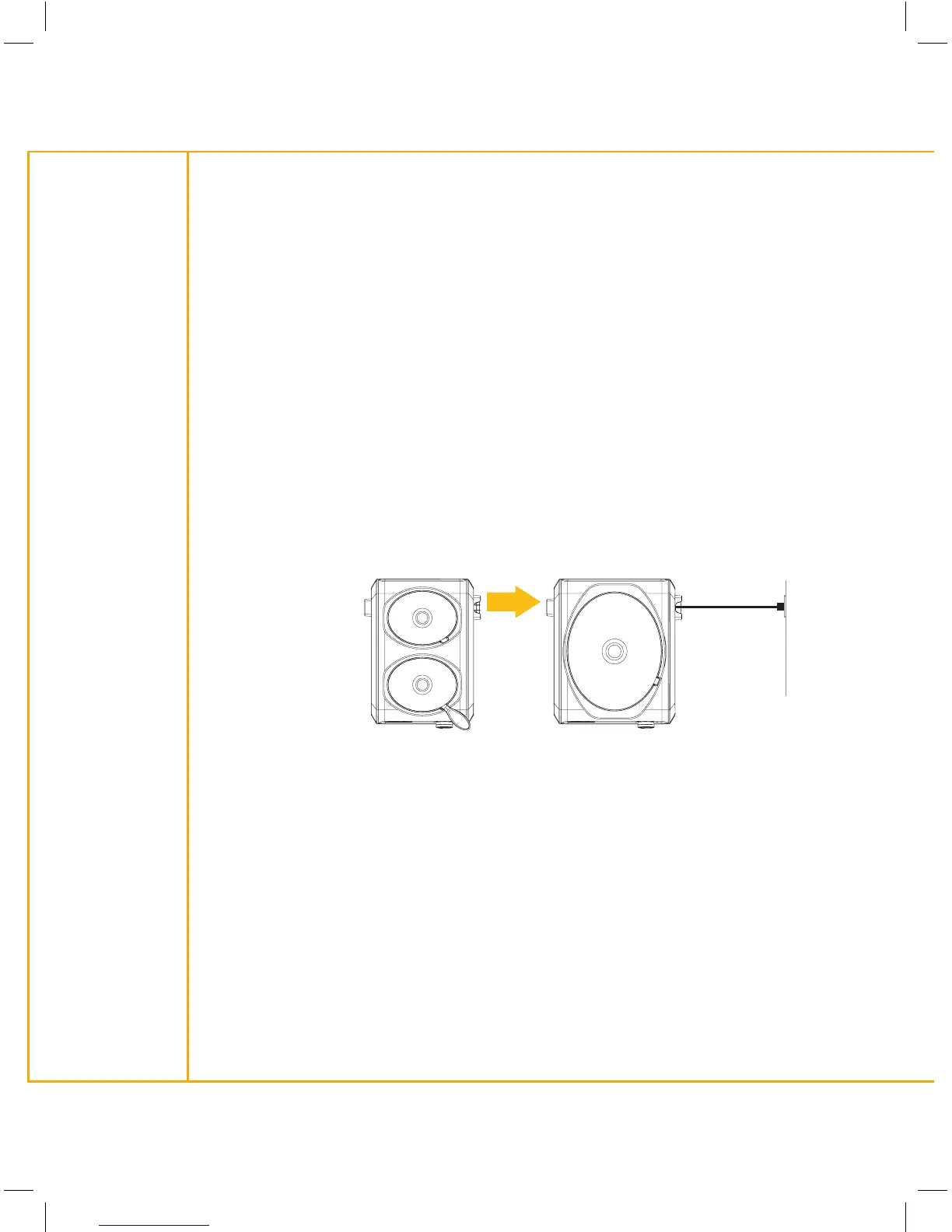
3. Line up the Plug Connection outlet of Unit A with the Retractable
Cord of Unit B, as shown:
NOTE: Recommended maximum number of units to plug into one outlet is
six (6) units. This may vary depending on circuit.
4. Push Unit A and Unit B together until you hear them ‘click’ into place.
NOTE: When using with multiple units side by side, make sure the plug in
Unit A is securely in place prior to connecting units together. To ensure the
units are connected properly, you can turn the temperature dial to HIGH,
LOW or WARM for each of the units and the LED indicators should
illuminate when they are rmly connected.
Connecting Multiple Units
Unit AUnit B
Retractable
Cord
Wall
electrical
outlet
SCCPMD1-CH_13EM1.indd 12 3/1/13 9:16 AM


 To Next Page