Need help?
Do you have a question about the Crosley Coda and is the answer not in the manual?
Steps for placing the unit, connecting speakers, and power.
Instructions for installing the turntable platter and drive belt.
Guide on how to safely remove the turntable needle.
Steps for correctly installing a new turntable needle.
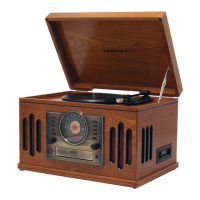
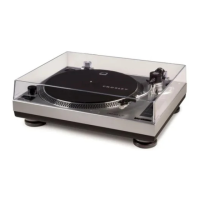
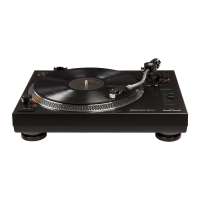
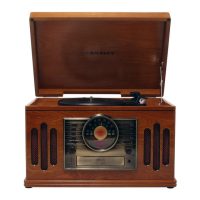
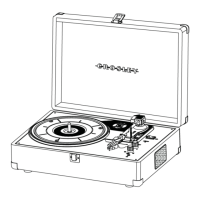
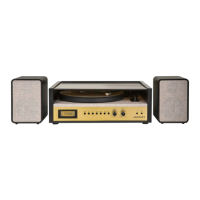
This document describes the Crosley CR7017B Coda Turntable, an audio device designed for playing vinyl records and offering various other audio functionalities. It serves as an instruction manual, guiding users through the setup, operation, and maintenance of the turntable.
The primary function of the device is to play vinyl records at multiple speeds, including 33 1/3, 45, and 78 RPM. To achieve this, it features a turntable platter, a spindle, and a tonearm assembly. The tonearm includes a counterweight for adjusting stylus pressure, a downforce scale dial, a lever for lifting and lowering the tonearm, and a rest to secure it when not in use. A hold-down clip further secures the tonearm during transport or when the turntable is idle, preventing damage to the stylus. For 45 RPM records, a dedicated adapter is provided. The device also incorporates a pitch control knob, allowing users to fine-tune the playback speed by approximately 10% in either direction, enhancing the listening experience by correcting minor speed variations or for creative adjustments.
Beyond its core turntable function, the CR7017B Coda Turntable offers several other audio playback options. It includes a built-in radio tuner, enabling users to listen to their favorite radio stations. The radio operation supports both automatic and manual scanning for frequencies, with the ability to store desired stations as presets for quick access. A dedicated Tuner button and a Tuning Knob facilitate radio navigation.
Bluetooth connectivity is another key feature, allowing users to wirelessly stream music from their audio devices. The device can be easily paired with Bluetooth-enabled smartphones, tablets, or computers. During Bluetooth playback, controls for playing/pausing music and skipping tracks (forward or backward) are available through the unit's buttons.
For wired audio input, the turntable is equipped with an Aux In Jack. This allows users to connect external audio devices, such as MP3 players or smartphones, using a 3.5mm auxiliary cable, and play their music through the turntable's speakers. The device also features a Headphone Jack for private listening.
The CR7017B Coda Turntable is designed with integrated speakers, providing an all-in-one audio solution. Additionally, it offers Line Out Jacks, which output analog line-level signals. These outputs can be connected to a pair of active speakers or integrated into a larger stereo system, offering flexibility for expanding the audio setup.
The user interface includes an LCD Display, which likely shows information such as radio frequencies, Bluetooth status, or clock settings. Various buttons are present for controlling different functions: Phono, Aux, Bluetooth, and Tuner buttons select the desired input mode. Pair/Scan, Preset Back, and Preset Forward buttons are used for Bluetooth control and radio preset management. An ON/OFF-Volume Button serves as both the power switch and volume control.
Setup of the turntable involves several steps to ensure optimal performance. Users need to place the unit on a stable, level surface free from vibrations. The tonearm's tie-wrap must be removed, and the slip mat placed on the platter. Connecting the external speakers to the speaker jacks at the back of the unit is essential. The power adaptor is then connected to the Power Jack. A critical step is the turntable platter and belt setup, where the platter is placed on the spindle, and the drive belt is carefully positioned around the motor pulley.
A crucial aspect of setup is the tonearm counterweight adjustment for stylus pressure. This involves removing the stylus protector, releasing the tonearm hold-down clip, and carefully balancing the tonearm horizontally above the platter. The downforce scale dial is then rotated to align with "0," and subsequently adjusted to the recommended pressure value for the stylus, which is 3.0g for the factory-installed cartridge. The manual provides specific instructions for achieving this, noting that a full rotation might be needed to reach the desired pressure.
The device also includes a clock setup feature, which can only be performed in STANDBY mode. Users can adjust the time format (12 or 24 hours), hour digits, and minute digits using the Tuning knob.
Maintenance of the turntable is important for its longevity and performance. Users are advised not to touch the stylus tip with their fingers and to avoid bumping it against the turntable mat or record edges. Regular cleaning of the stylus with a soft brush, moving from back to front, is recommended. Records should also be cleaned to remove dust or grease using a record cleaning brush and solution. The turntable lid and cabinet can be cleaned with a slightly damped microfiber cloth. It is explicitly stated not to use cleansers containing alcohol, benzene, or other harsh chemicals, as these can damage the paint and finish. Crosley also offers a range of cleaning accessories, which users can inquire about from retailers or on their website.
Troubleshooting tips are provided for common issues. If there is no power, users should check the power adaptor connection and the power outlet. If the platter does not turn despite the power being on, it could be due to a slipped drive belt or an aux-in cable being plugged into the aux-in jack, which should be unplugged. If the turntable is spinning but there is no sound or the sound is too low, potential causes include the stylus protector still being on, the tonearm being lifted by the lever, or headphones being plugged in.
The manual also highlights an energy-saving feature: some models comply with ERP energy-saving standards and will automatically cut off power if there is no audio input for 20 minutes. To resume playing, users need to turn the power off and then on again.
Safety instructions emphasize the importance of reading and understanding the manual, avoiding water, using the correct power source, and not defeating the safety purpose of the polarized plug. Protection of the power cord, avoiding overloading outlets, and preventing foreign objects or liquids from entering the product are also stressed. Users are advised not to attempt servicing the product themselves and to refer all servicing to qualified personnel. Changes or modifications not expressly approved by the manufacturer could void the user's authority to operate the equipment. The manual also cautions against using unrecommended attachments, moving the product and cart combination with care, and blocking ventilation openings. Unplugging the product during lightning storms or prolonged periods of disuse is also recommended.
The document concludes with FCC Statements, outlining compliance with Part 15 of the FCC Rules regarding harmful interference and ensuring acceptance of received interference. It also provides a SIMPLIFIED EU DECLARATION OF CONFORMITY, stating that the radio equipment type complies with Directive 2014/53/EU and directs users to an online address for the full text of the declaration.
 General
| Speed Settings | 33 1/3, 45 RPM |
|---|---|
| Drive System | Belt Drive |
| Built-in Speakers | Yes |
| Power Source | AC adapter |
| Type | Belt-Drive Turntable |
| Cartridge | Moving Magnet |
| Connectivity | Bluetooth, RCA output, Headphone jack |
| Features | Pitch control |
| Platter | Aluminum |

 To Next Page