Need help?
Do you have a question about the Crosley CR3043A and is the answer not in the manual?
Covers essential safety guidelines including power, water, cord protection, overloading, object insertion, servicing, modifications, attachments, movement, ventilation, and storm unplugging.
Steps for placing the unit, connecting power, and turning it on.
Explains the LED color codes for different operating modes.
Instructions on how to adjust the volume using the up/down buttons.
Guide for connecting external audio devices via the Aux In jack.
Steps for pairing the device with a Bluetooth source and streaming audio.
Detailed steps to connect two speakers for synchronized audio playback.
Solutions for the unit not powering on, checking connections and battery status.
Tips for resolving problems when pairing or connecting to Bluetooth devices.
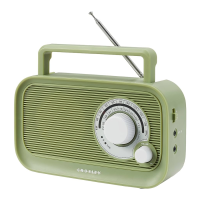
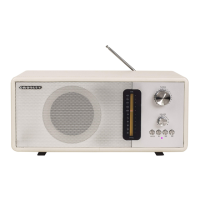
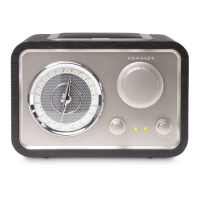
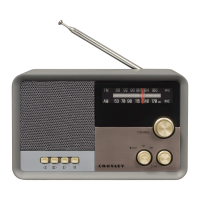
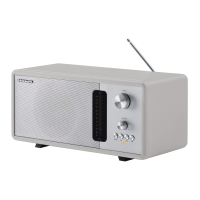
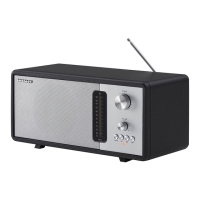
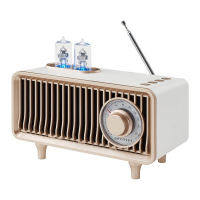
The Crosley CR3043A Milton Radio is a versatile audio device designed to provide a blend of classic aesthetics and modern functionality. This instruction manual details its setup, operation, and troubleshooting, ensuring users can fully enjoy its features. The radio's design incorporates a vintage-inspired look with prominent tuning knobs and a speaker grille, reminiscent of older radio models, while integrating contemporary connectivity options.
The Milton Radio primarily functions as a multi-source audio player, offering FM radio, Bluetooth connectivity, auxiliary input, and playback from USB drives and TF cards.
FM Radio: The device includes an FM radio tuner, allowing users to listen to their favorite local radio stations. The tuning knob, located on the front of the unit, enables precise selection of frequencies. For optimal reception, an extendable FM antenna is provided on the back of the unit. The function indicator light turns yellow when the radio mode is active.
Bluetooth Operation: The radio features Bluetooth 5.1, enabling wireless streaming of audio from compatible devices such as smartphones, tablets, and computers. Users can easily pair their Bluetooth device with the radio by selecting the Bluetooth mode via the multifunction button and searching for "CROSLEY CR3043A." A confirmation sound indicates successful pairing, and the function indicator light glows blue in Bluetooth mode. This feature allows for hands-free calling; when a smartphone is paired, the speaker rings for incoming calls, and the multifunction button can be used to answer or reject calls.
Auxiliary Input Connection: For wired audio connections, the Milton Radio includes a 3.5mm Aux In Jack. This allows users to connect external audio devices using a standard auxiliary cable, playing music through the radio's speaker. The auxiliary input mode is activated by pressing the multifunction button, and the function indicator light turns green.
USB/TF Card Playback: The radio supports direct playback of audio files from USB drives and TF (TransFlash) cards. Dedicated USB and TF Card Jacks are provided for this purpose. Users can insert their storage devices, select the USB/TF Card mode using the multifunction button, and play their stored music. The function indicator light turns purple in this mode. It's important to note that only USB or TF cards up to 64 GB are supported.
Twins Connected Mode (TWS): A unique feature of the Milton Radio is its Twins Connected Mode, also known as True Wireless Stereo (TWS). This allows two CR3043A units to be paired together wirelessly to create a stereo sound experience. To activate this mode, both speakers are turned on, and the Power/TWS button on each unit is double-clicked. A confirmation notification indicates successful pairing, and one speaker acts as the primary unit while the other becomes secondary. This mode is exclusively available when using Bluetooth.
The Milton Radio is designed for user-friendly operation with clearly labeled controls and intuitive functions.
Function Indicator Lights: The radio provides visual feedback through a function indicator light, which changes color to denote the active mode:
Portability: The Milton Radio is equipped with a 1500 mAh battery, offering up to 14 hours of playing time on a single charge. This makes it a portable option for enjoying music in various locations without needing a constant power source. The unit is charged via a Micro USB cable connected to the Power Jack.
Initial Setup: Setting up the radio is straightforward. Users simply place the unit on a stable surface, connect the USB cable to the power jack, and long-press the Power/TWS button to turn it on.
The manual provides guidance on maintaining the device and troubleshooting common issues.
Power Management: The radio incorporates an ERP (Energy-Related Products) energy-saving standard. If there is no audio input for 10 minutes, the unit will automatically power off to conserve battery life. To resume playback, the user needs to turn the power off and then on again. This feature helps extend battery life and reduce energy consumption.
Troubleshooting: The manual includes a troubleshooting section to address common problems:
General Care: While not explicitly detailed as "maintenance features," the safety instructions implicitly guide users on how to care for the device. These include:
By following these instructions, users can ensure the longevity and optimal performance of their Crosley CR3043A Milton Radio.
 General
| Brand | Crosley |
|---|---|
| Model | CR3043A |
| Category | Radio |
| Tuning | Analog |
| Band | AM/FM |
| Speaker | Built-in |
| Power Source | AC/DC |
| Type | Portable |
| Weight | 3.5 pounds |
| Frequency Range | FM: 88-108 MHz |

 To Next Page