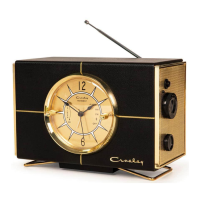
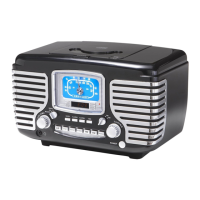
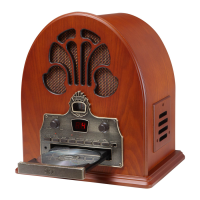
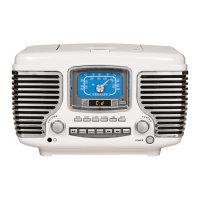
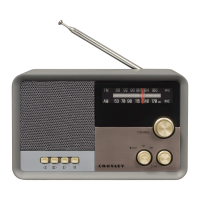
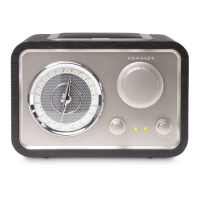
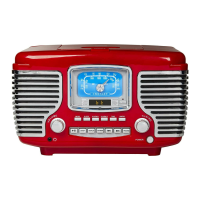
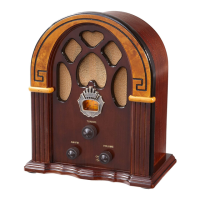
The Crosley CR3038A Lewis Retro Radio is a vintage-inspired radio with modern functionalities, designed to provide a blend of classic aesthetics and contemporary features. This instruction manual outlines its setup, operation, and maintenance, ensuring users can fully utilize its capabilities.
Function Description
The CR3038A serves primarily as a radio, supporting both AM and FM bands. It also incorporates Bluetooth connectivity, allowing users to stream audio wirelessly from compatible devices. A key feature is its integrated clock display, which functions as an alarm clock with snooze capabilities. The radio includes a sleep timer, enabling users to set a duration after which the radio will automatically turn off. For convenience, it features a battery backup system to maintain clock settings during power outages.
Important Technical Specifications
- Model: CR3038A Lewis Retro Radio
- Power Source: AC power adaptor, DC output 5V 2A.
- Power Consumption: 8 W.
- Speaker: 4Ω, 5W.
- Bluetooth Version: 5.0.
- Battery Backup: Requires one AAA battery (not included) for clock retention during power interruptions.
- ERP Energy Saving Standard: Some models comply with this standard, automatically cutting off power after 20 minutes of no audio input to conserve energy. To resume playing, the unit must be turned off and then back on.
Usage Features
- Radio Operation:
- Band Selection: Users can rotate the Function knob to select either AM or FM bands.
- Tuning: The Tuning Knob allows for precise selection of desired radio stations.
- FM Reception: For optimal FM reception, the telescopic antenna should be pulled up and adjusted.
- Clock Setup:
- Time Setting: The Time Setting Knob, located at the back of the unit, is rotated counter-clockwise to set the time. The clock requires power to function.
- Battery Backup: To ensure the clock maintains time during power failures, an AAA battery can be installed in the battery compartment. The battery cover is removed by pressing in on the locking tab, the battery is inserted, and then the cover is replaced.
- Alarm Setting:
- Alarm Time: The Alarm Setting Knob on the back of the unit is rotated counter-clockwise to set the alarm indicator hand to the desired alarm time.
- Alarm Function: The function switch can be set to "Alarm," "AM," or "FM" to activate the alarm. If "AM" or "FM" is selected, the Standby button should be pressed for the upcoming alarm to turn off the radio.
- Disabling Alarm: To turn off the alarm function, the function knob should be set to the "Off" position.
- Snooze Function:
- When the alarm sounds, pressing the Snooze button will temporarily silence it for 10 minutes, after which it will sound again.
- To completely stop the alarm while it is sounding, the function knob should be turned to the "Off" position.
- Sleep Timer:
- The Sleep Knob on the unit allows users to select a desired sleep duration: 0, 20, 40, 60, or 80 minutes.
- To cancel the sleep timer, the Sleep knob should be rotated to the "0" position.
- Bluetooth Operation:
- Activation: Turn the Function knob to the Bluetooth position (indicated by a Bluetooth symbol).
- Pairing: Enable Bluetooth on your audio device and search for "CROSLEY CR3038A" to pair.
- Confirmation: A short confirmation sound from the unit indicates successful pairing.
- Streaming: Once paired, music can be streamed from the device to the radio.
Maintenance Features
- Safety Instructions: The manual emphasizes several safety precautions, including not using the product near water, using the specified power source, and ensuring the polarized plug is correctly inserted. It also advises protecting the power cord, avoiding overloading outlets, and refraining from inserting objects into openings.
- Servicing: Users are cautioned against attempting to service the product themselves, as this may expose them to dangerous voltages. All servicing should be referred to qualified service personnel.
- Modifications: Any changes or modifications to the unit not expressly approved by the responsible party could void the user's authority to operate the equipment.
- Ventilation: Slots and openings in the cabinet are provided for ventilation to ensure reliable operation and prevent overheating. These openings should not be blocked or covered.
- Power Disconnection: The product should be unplugged during lightning storms or when unused for long periods.
- Troubleshooting: The manual addresses common issues such as "no power," suggesting checks for correct power adaptor connection and power outlet functionality. It also reminds users about the ERP energy saving feature if the unit appears to be off due to inactivity.
- Packaging Retention: Users are advised to retain the original packaging materials for exchange or return purposes, and to contact Crosley customer service if any accessories are missing.
The Crosley CR3038A Lewis Retro Radio combines a nostalgic design with essential modern features like Bluetooth connectivity and an alarm clock, making it a versatile audio device for various settings. Its user-friendly controls and clear instructions ensure a straightforward experience for setup and daily use.

 Need help?

 To Next Page
 General