
 Need help?
Do you have a question about the Crosley CR7011A and is the answer not in the manual?
Steps for basic unit placement and power connection.
Procedure for safely detaching the stylus from the cartridge.
Procedure for securely attaching a new stylus to the cartridge.
Solutions for issues related to the unit not powering on.
Troubleshooting steps when the platter fails to rotate.
Solutions for audio issues during turntable playback.
Common reasons and fixes for CD playback failures.
Information regarding cassette pausing limitations.
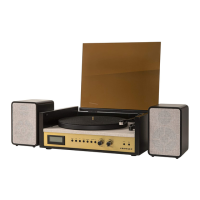
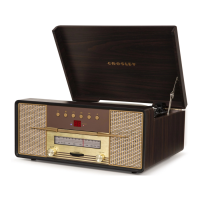
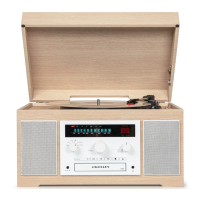
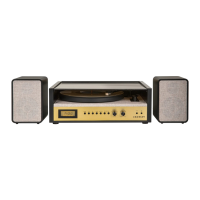
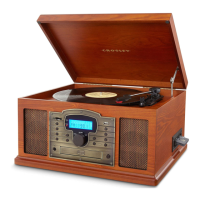
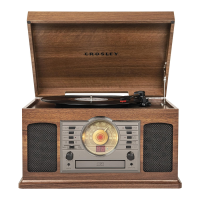
The Crosley CR7011A Burton Entertainment Center is a versatile audio system designed to provide a comprehensive listening experience, combining classic and modern audio functionalities in a single, stylish unit. This entertainment center allows users to enjoy music from various sources, including vinyl records, CDs, radio broadcasts, cassette tapes, and external audio devices via an auxiliary input or Bluetooth connectivity.
The core function of the Burton Entertainment Center is to serve as a multi-source audio playback device. It integrates a turntable for vinyl records, a CD player, an AM/FM radio tuner, a cassette player, and Bluetooth connectivity for wireless streaming. Additionally, it features an Aux In jack, enabling wired connection to other audio sources. The unit is equipped with built-in speakers, providing an all-in-one audio solution without the need for external amplification or speakers, though a headphone jack is also available for private listening.
The turntable supports three speeds: 33 1/3, 45, and 78 RPM, accommodating a wide range of vinyl records. A 45 RPM adapter is included for playing singles. To operate the turntable, the user first powers on the unit and sets the Function Switch to the TAPE/PHONO position. The speed switch should be set according to the record being played. Before playback, the stylus protector must be removed from the stylus assembly, and the tonearm's hold-down clip released. The tonearm lever is used to gently lift and lower the tonearm onto the desired part of the record. Once playback is complete, the tonearm is returned to its rest, and the hold-down clip secured. An auto-stop switch is available, which, when set to ON, automatically stops the platter from spinning when a record finishes playing. This feature can be toggled OFF if the turntable stops prematurely.
For wireless audio streaming, the unit offers Bluetooth connectivity. After powering on the unit, the Function Switch is set to the Bluetooth position, indicated by an activation sound. Users then enable Bluetooth on their audio device, search for "CROSLEY CR7011A," and pair. A confirmation sound indicates successful pairing, after which music can be streamed from the device to the entertainment center. The Bluetooth version is 5.0, ensuring a stable connection.
The integrated CD player allows for playback of audio CDs. To use this feature, the Function Switch is set to the CD position. The Open/Close button opens the CD tray, where the CD is placed with the labeled side facing up. Pressing the Open/Close button again closes the tray. The LED display will show the total number of tracks. The Play/Pause button initiates playback, with the Play Indicator lighting up. During playback, the Play/Pause button can be used to pause and resume, indicated by a flashing Play Indicator. The Forward Skip and Backward Skip buttons allow users to navigate between tracks or perform fast forward/backward searches by holding them down. A repeat function is available for repeating a specific track (press once) or all tracks (press twice), with the Repeat Indicator flashing or remaining on, respectively. The Stop button halts playback entirely. The CD player also supports programmed playback, allowing users to create a custom playlist of up to 20 tracks from a CD. This is done by entering program mode, selecting desired tracks using the skip buttons, and confirming each selection with the Program button before starting playback.
The unit includes an AM/FM radio tuner. After powering on, the Function Switch is set to the RADIO position, and the AM/FM Button is pressed to select the desired band. The Tuning Knob is then rotated to find the desired radio station. The unit features a built-in AM antenna and an FM wire antenna. For improved FM reception, the wire antenna can be repositioned, while for AM, rotating the entire unit may enhance reception.
A cassette player is integrated for playing prerecorded cassette tapes. With the unit powered on and the Function Switch set to TAPE/PHONO, inserting a cassette into the cassette door automatically begins playback. The Eject/F.F button serves multiple purposes: pressing it halfway in initiates fast forward, and pressing it again returns to playback mode. To rewind a cassette, it must be ejected, flipped over, and then fast-forwarded on the other side. Pressing the Eject/F.F. button all the way in stops playback and ejects the cassette. The cassette player automatically stops when one side of the tape finishes.
For connecting external audio devices, a 3.5mm Aux In Jack is provided. By connecting an auxiliary cable between the audio device and the unit, music can be played through the entertainment center's speakers. It's important to note that the aux in connection has the highest priority; when an auxiliary cable is plugged in, it overrides all other functions (Bluetooth, turntable, CD, radio, or cassette). To resume using other features, the auxiliary cable must be unplugged.
The stylus (needle) is a consumable part that requires periodic replacement. To remove the needle, gently pull down its front edge, then pull it forward and out. To install a new needle, position it with the tip facing down, align its back with the cartridge, and insert its front end at a downward angle. Gently lift the front of the needle upward until it snaps into place.
Proper care of the turntable ensures longevity and optimal sound quality. Users should avoid touching the stylus tip with their fingers and prevent it from bumping the turntable mat or record edges. The stylus should be cleaned frequently with a soft brush, moving from back to front only. Records should be cleaned with a record cleaning brush and solution to remove dust or grease. The turntable lid and cabinet can be cleaned with a slightly damped microfiber cloth. It is crucial to avoid cleansers containing alcohol, benzene, or other harsh chemicals, as these can damage the unit's paint and finish. Crosley offers a range of cleaning accessories for this purpose.
 General
| Type | Belt Drive Turntable |
|---|---|
| Drive System/Method | Belt Drive |
| Built-in Speakers | Yes |
| USB Output | Yes |
| RCA Output | Yes |
| Headphone Jack | Yes |
| Speeds | 33 1/3, 45 RPM |
| Connectivity | Bluetooth |
| Stylus | Diamond Stylus |
| Platter | Aluminum |
| Power Source | AC Adapter |



 To Next Page