Button Controls
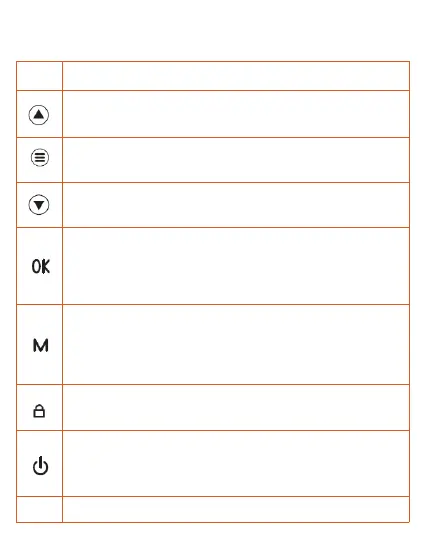
Button Operation and Function
Reset
1.Select function options in setup mode
2.Select previous video in playback mode
Press once to enter menu setting
(Disabled in recording mode)
1.Select function options in setup mode
2.Select next video in playback mode
1.In recording mode, press once to start recording,
press one more time to stop recording.
2.Long press once to shoot photos when recording.
3.Press once to confirm your setting in settings mode.
1.Press once to switch between Video / Photo /
Lock Video playback mode.
2.Press once to return to previous page in playback
mode.
In recording mode, press once to lock the video as
an emergency one.
Reboot the device and restore default settings
1.Press once to turn on the device
2.Press once to lock the screen
3.Press and hold to turn off the device


 To Next Page